

October 9, 2026
What is a reporting tool evaluation checklist? A reporting tool evaluation checklist is a practical guide for comparing reporting software before purchasing it. It helps businesses assess ERP integration, report accuracy, customization, dashboards, automation, data security, scalability, costs and vendor support to choose the right solution.
Choosing reporting software can be challenging when different vendors offer similar dashboards, automation features and data integrations. A tool may look impressive during a demonstration but still fall short when your team tries to prepare its everyday business reports.
The best way to evaluate reporting software is to test it against your actual reporting requirements. Examine how it connects to your business systems, handles data, supports report customization, automates recurring tasks and protects sensitive information.
This reporting tool evaluation checklist will help you compare solutions systematically before making a purchasing decision.
Why Should You Evaluate Reporting Software Before Buying?
Reporting software affects how your organization collects, analyzes and shares business information. Choosing a tool that does not fit your requirements may create additional work instead of reducing it.
For example, a finance team might need formatted financial statements and consolidated reports, while a sales team may prioritize interactive dashboards, customer analysis and frequent updates.
A structured evaluation helps you identify essential capabilities, compare vendors fairly and avoid paying for features your business does not need.
A reporting tool evaluation checklist helps your team identify essential capabilities and assess whether a solution meets your business requirements.
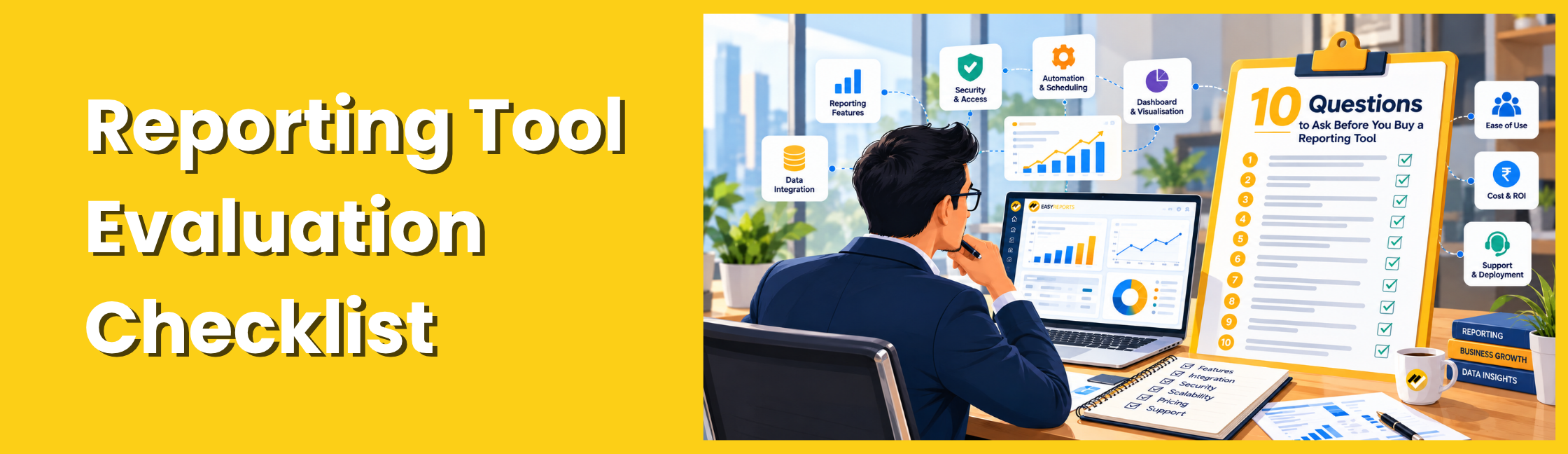
10 Questions to Ask When Evaluating a Reporting Tool
1. Reporting Tool Evaluation Checklist: ERP and Database Compatibility
Start by checking compatibility with your current business systems.
Your organization may use Tally, SAP Business One, Microsoft Dynamics NAV, Business Central, SQL Server, Oracle, MySQL or PostgreSQL. A reporting tool must support the specific systems and data connections your business requires.
As part of your reporting tool evaluation checklist, verify that the software connects to your existing ERP systems and required databases.
Ask the vendor:
- Which of our ERP systems and databases are supported?
- Can we combine information from different sources?
- Can spreadsheet data be used alongside ERP data?
- How are connections configured and maintained?
- What happens if our data sources change?
Evaluation tip: During the demonstration, ask the vendor to show a connection to a representative data source from your environment. Do not rely only on a general integration list.
2. Reporting Tool Evaluation Checklist: Report Accuracy
A reporting tool should be evaluated on the reports your team needs to produce, not just on sample reports provided by the vendor.
Prepare a shortlist of important reports, such as:
- Sales by customer and salesperson
- Outstanding receivables
- Inventory ageing
- Profit and loss statements
- Budget versus actual performance
- Consolidated management reports
Ask the vendor to demonstrate the report using representative data and explain how calculations, filters and totals are handled.
Evaluation tip: Compare the output with a trusted existing report. Investigate differences in totals, date ranges, filters and business rules before deciding whether the output is acceptable.
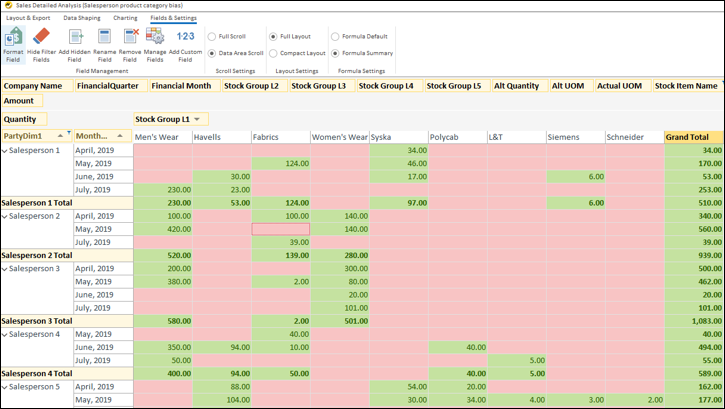
3. Can Users Customize Reports Without Extensive Coding?
Business requirements change. Managers may ask for additional columns, different groupings or new filters after a report has already been created.
The software should make routine report customization manageable.
Check whether it provides:
- Visual report design
- Drag-and-drop functionality
- Reusable data models
- Customizable layouts
- Flexible filters and parameters
- Appropriate options for technical customization when required
Evaluation tip: Ask a future end user, rather than only the vendor’s technical specialist, to make a small change to an existing report.
This helps you assess how accessible the reporting process will be for your team after implementation.
4. Does It Offer the Report Formats Your Business Needs?
Not every report should be presented as a dashboard. Some users need interactive analysis, while others require structured reports for management reviews, financial documentation or further analysis.
Check whether the tool supports the required formats, such as:
- Pivot reports
- Grid or tabular reports
- Spreadsheet-style reports
- Formatted reports
- PDF and Excel output
Determine whether the available formats meet your internal and external reporting requirements.
Evaluation tip: Choose one analytical report and one presentation-ready report for your trial. Confirm that both can be produced in the required formats without excessive manual formatting.
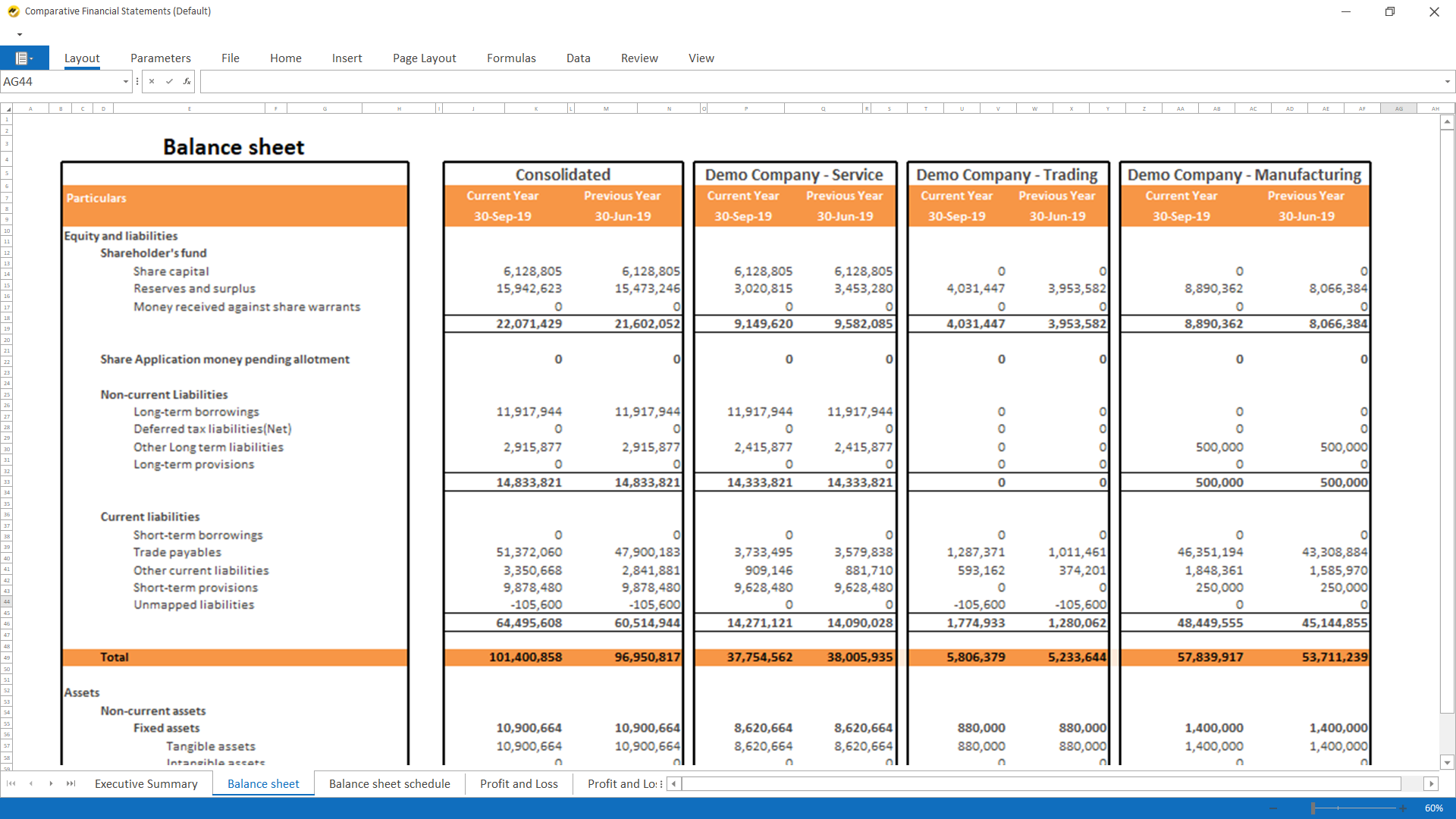
5. Can It Build Useful Dashboards for Different Teams?
Dashboards should make relevant information easier to understand, not simply display multiple charts on one screen.
Check whether users can monitor key performance indicators, compare reporting periods, filter information and access more detailed reports when needed.
Ask:
- Can different departments have different dashboard views?
- Can users customize charts and report layouts?
- Can important metrics be compared across periods?
- Can users investigate the underlying data?
- Do the dashboards work with the data sources we use?
Evaluation tip: Give the vendor a business question to solve. For example, ask them to demonstrate how a manager can identify declining sales by product or salesperson using the available reports and dashboards.

6. Can It Automate Recurring Reports and Their Distribution?
Recurring reports are a useful area to examine because the real workload often involves both preparing and distributing information.
Consider the reports you currently generate daily, weekly, monthly or at month-end.
Ask the vendor whether the software can schedule report execution, distribute outputs automatically and manage recipients according to your requirements.
Also verify how the system handles failed executions, changes in report parameters and access permissions.
Evaluation tip: Configure a sample recurring report during the demonstration. Confirm its schedule, output and delivery process instead of relying only on a presentation of the scheduler interface.
7. Are Data Security and Deployment Options Suitable?
Reporting software may process financial information, customer records and internal performance data. Its permissions and deployment model should align with your organization’s security policies.
Evaluate:
- Role-based access permissions
- User-specific data restrictions
- Report access management
- Export and distribution controls
- On-premise or cloud deployment options
- Backup, recovery, maintenance and monitoring arrangements
Ask how sensitive data is stored, how users are authenticated and how access is reviewed.
Evaluation tip: Use two test users with different permissions to verify what each person can see and do.
Remember that neither on-premise nor cloud deployment guarantees security by itself. The complete configuration and operating practices matter.
8. Can It Support Multiple Companies and Growing Requirements?
A tool that meets your current needs should also be suitable for your expected reporting requirements over time.
If your organization manages multiple companies, confirm that the software supports the required company-wise and consolidated views.
Check whether the tool can accommodate additional users, reports, data sources and reporting complexity as the business grows.
Ask about performance with your expected data volumes, applicable licensing limits and the requirements for adding new companies or integrations.
Evaluation tip: If multi-company consolidation is important to your business, test it explicitly. Verify totals and reporting rules rather than assuming the feature covers every consolidation requirement.
9. Reporting Tool Evaluation Checklist: Total Cost of Ownership
The quoted software price is only one part of the purchasing decision.
Evaluate the complete cost of adopting and operating the reporting solution, including:
- Software licensing or subscription
- Initial implementation
- Data connections and report development
- Training and onboarding
- Ongoing maintenance and support
- Additional users, data sources or companies
- Infrastructure and future upgrades
Compare the costs against the manual reporting effort you expect to reduce and the business requirements the software will address.
Evaluation tip: Ask each vendor to provide a clear cost breakdown based on the same user count, reporting scope and deployment requirements. This makes the comparison more meaningful.
10. What Implementation and Support Will the Vendor Provide?
Even a capable reporting tool requires appropriate setup, configuration and adoption.
Before purchasing, understand the implementation process and the responsibilities of your team.
Ask:
- How long does a typical implementation take for a project of our scope?
- What data access and technical preparation are required?
- Is user training included?
- What support channels are available?
- How are issues and product updates handled?
- Can the vendor demonstrate experience with our ERP and reporting requirements?
Evaluation tip: Request a proposed implementation plan with responsibilities, deliverables and dependencies. Evaluate the support arrangement as carefully as the product itself.
Once you have evaluated the essential capabilities, use a simple scoring system to compare vendors.
How EasyReports Fits Into Your Evaluation
EasyReports provides reporting and MIS automation capabilities for businesses working with supported ERP systems and databases, including Tally, SAP Business One, Microsoft Dynamics NAV and Business Central.
Apply the same reporting tool evaluation checklist to EasyReports by testing your required reports, integrations, customization options and deployment requirements.
Its capabilities include database connectivity, reusable data models, customizable report layouts, pivot and grid reports, spreadsheet and formatted reporting, dashboards, scheduling and access controls.
EasyReports also supports on-premise and private-cloud implementation options, with Excel and Google Sheets integration available for relevant reporting workflows.
When evaluating EasyReports, use the same approach you would use with any reporting vendor: identify your essential reports, validate the required integrations, test the output and confirm that the available security and deployment options suit your organization.
You can explore EasyReports’ reporting capabilities or book a demo to discuss your business requirements.
Frequently Asked Questions
1. What is a reporting tool evaluation checklist?
A reporting tool evaluation checklist is a structured list of criteria for assessing reporting software before purchase. It helps businesses compare integrations, report accuracy, customization, dashboards, automation, security and costs.
2. Why should businesses use a reporting tool evaluation checklist?
It helps businesses compare vendors consistently, identify essential features, test reporting requirements and avoid choosing software that does not meet their needs.
3. What should you check before buying reporting software?
Check ERP and database compatibility, report accuracy, customization, output formats, dashboards, automation, security, scalability, total cost of ownership and vendor support.
4. How do you evaluate reporting software during a demo?
Test a data connection, generate a business report, verify calculations, modify a report layout and check scheduled delivery using realistic business scenarios.
5. How do you compare reporting software vendors?
Compare vendors using the same business requirements, sample reports and evaluation criteria. Assess functionality, integrations, security, implementation support and total costs.
6. How important is ERP integration when selecting reporting software?
ERP integration helps reporting software access the data needed for accurate reports. Verify compatibility with your specific ERP system, database and connection method.
7. How can businesses calculate the total cost of reporting software?
Include licensing, implementation, report development, data connections, training, maintenance, support, infrastructure and future upgrades.