


July 15, 2026
The Top 5 Excel Reporting Challenges faced by SMEs include manual errors, slow MIS reporting, lack of real-time insights, difficult data consolidation and poor performance. Reporting automation helps overcome these issues efficiently.
For many small and medium-sized businesses (SMEs), Microsoft Excel remains one of the most widely used software because it is flexible, familiar and easy to use.
However, as businesses grow and transaction volumes increase, Excel becomes more difficult to maintain. Finance teams often spend more time collecting, cleaning, and consolidating data than analyzing business performance. Manual processes also increase the risk of reporting errors, outdated information, and delayed decision-making.
Why Do SMEs in India Still Use Excel for Reporting?
Most SMEs begin with Excel because it is already available, easy to learn, and highly flexible. Finance teams export data from ERP systems such as Tally Prime, Tally ERP 9, SAP Business One, or Microsoft Dynamics into spreadsheets to prepare MIS reports and business analysis.
Let’s look at the most common Excel reporting challenges faced by SMEs and how they can be overcome.
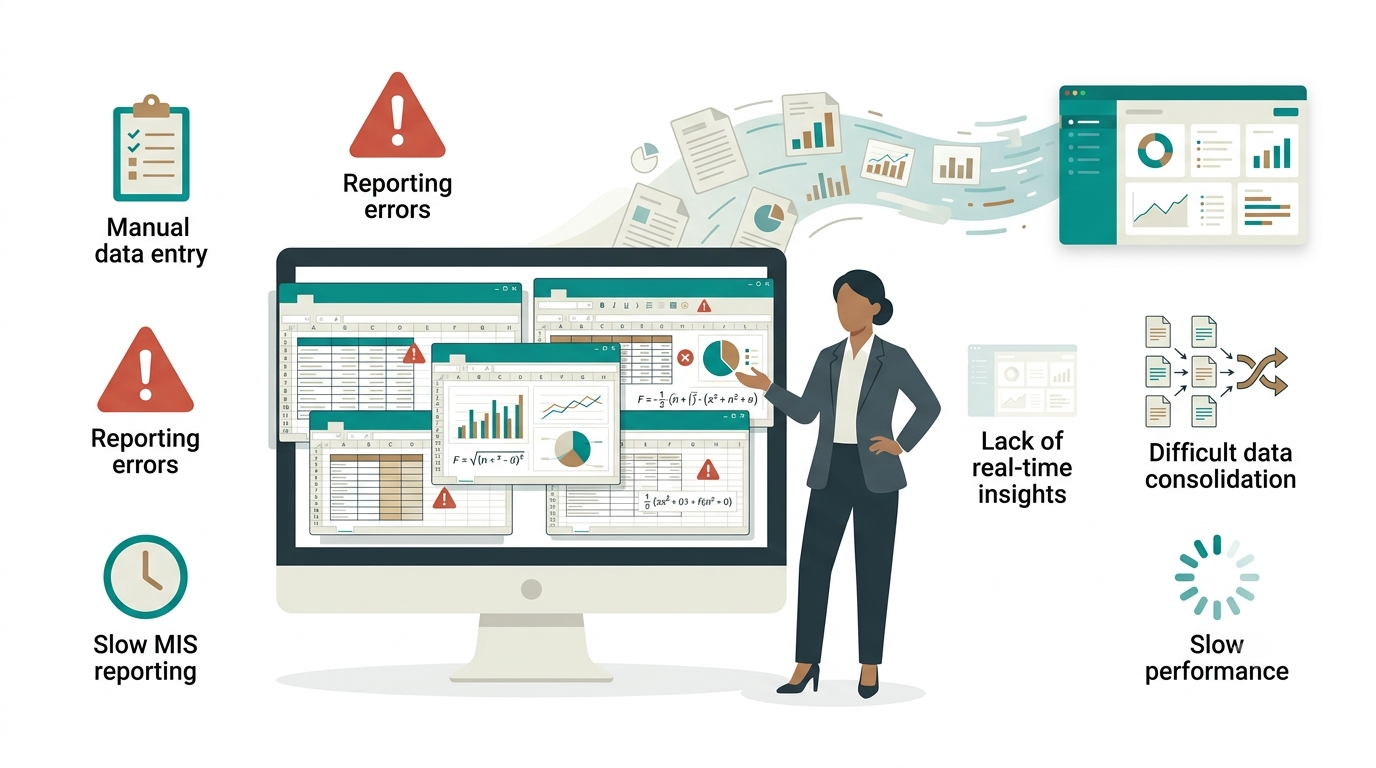
Excel Reporting Challenges 1: Manual Data Entry Increases Reporting Errors
One of the biggest reporting problems is manual copy-and-paste work. Finance teams frequently export data from ERP systems, clean spreadsheets, create formulas, and prepare charts manually.
Even a small mistake in a formula or deleted row can produce inaccurate financial reports.
Finance teams also rely heavily on Excel formulas such as INDEX-MATCH, SUMIFS and SUMPRODUCT to combine and analyze ERP data. As reports become more complex, maintaining these formulas becomes difficult
Ask yourself: How confident are you that every Excel report is completely error-free?
Excel Reporting Challenges 2: Preparing MIS Reports Takes Too Much Time
Monthly MIS reporting often takes several days.
Instead of reviewing business performance, finance teams spend their time collecting data from different departments and preparing spreadsheets. In many SMEs, finance teams create multiple temporary Excel files to clean, merge, and validate ERP data before preparing the final MIS report. These additional steps increase reporting time and make the entire process more difficult to manage.
This is one of the most common Excel reporting challenges faced by SMEs in India, especially for businesses operating multiple branches or companies.
Excel Reporting Challenges 3: Excel Cannot Provide Real-Time Business Insights
Business leaders need current information, not reports that are several days old.
By the time finance teams export ERP data, clean spreadsheets, and circulate reports, the information may already be outdated.
Without real-time dashboards, management cannot respond quickly to changing sales, inventory, or cash flow.
Excel Reporting Challenges 4: Consolidating Multiple Companies or Branches Is Difficult
Growing businesses often manage several branches or legal entities.
Combining reports from multiple Excel files requires manual effort and increases the risk of duplication and errors.
This is another major Excel reporting challenges faced by SMEs in India, particularly for businesses using Tally across multiple locations.
Excel Reporting Challenges 5: Large Excel Files Become Slow and Difficult to Manage
As data grows, Excel files become larger and slower.
Opening reports, refreshing pivot tables, and processing thousands of transactions can take several minutes, reducing productivity for finance teams.
Instead of helping businesses grow, Excel becomes a reporting bottleneck.
How Can SMEs Overcome These Excel Reporting Challenges?
The best approach is not to eliminate Excel completely but to automate repetitive reporting tasks.
Modern reporting solutions connect directly with ERP systems and automatically generate:
- MIS Reports
- Financial Statements
- Sales Reports
- Inventory Reports
- Customer Outstanding Reports
- Interactive Dashboards
Instead of manually exporting data every month, teams can create automated reports, schedule report delivery, build interactive dashboards and access real-time business insights from a single platform. Introducing EasyReports, the smarter way to achieve all of this.
What is EasyReports?
EasyReports is a Business Intelligence (BI), MIS Reporting, Dashboard and Reporting Automation solution designed for businesses that want to simplify reporting and make faster decisions. Learn more about EasyReports!
It integrates with Excel as well as the popular ERPs like Tally Prime, Tally ERP 9, SAP Business One, Microsoft Dynamics NAV, Microsoft Dynamics 365 Business Central, SQL Server to automate reporting processes.
Also, after generating reports and dashboards from ERP systems, users can export them from EasyReports to Microsoft Excel in their preferred format for further analysis, sharing or presentation.
How Can EasyReports Be a Solution for Excel MIS?
EasyReports can help eliminate repetitive manual work while improving reporting accuracy.
With EasyReports, you can:
- Automate MIS reports directly from Excel files, ERP systems & multiple data sources or databases.
- Create real-time dashboards to monitor sales, finance, inventory, receivables and other key business metrics.
- Schedule reports automatically and deliver them to management through email at predefined intervals.
- Consolidate reports from multiple companies, branches, or locations into a single view.
- Reduce manual reporting errors by using a centralized reporting platform instead of multiple spreadsheet versions.
- Build custom reports with a user-friendly, zero-code report designer that does not require programming knowledge.
- Access faster business insights so decision-makers can focus on growth rather than spreadsheet preparation.
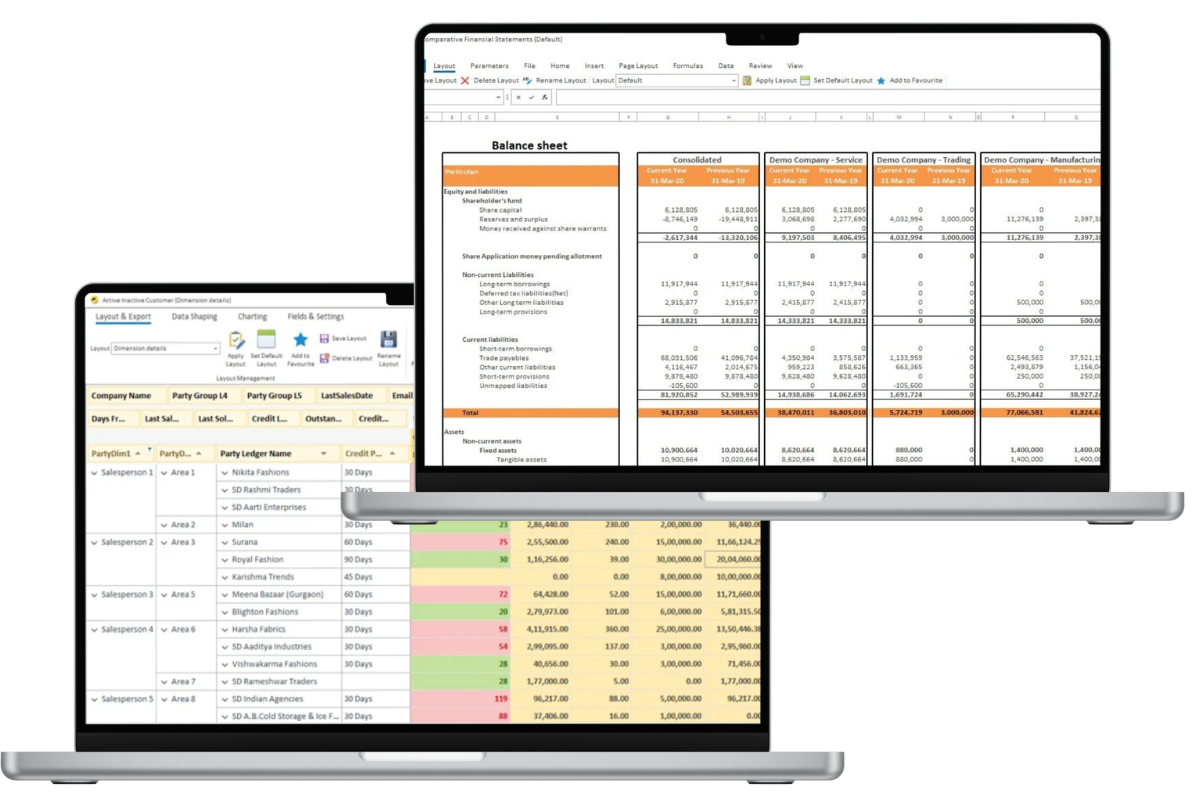
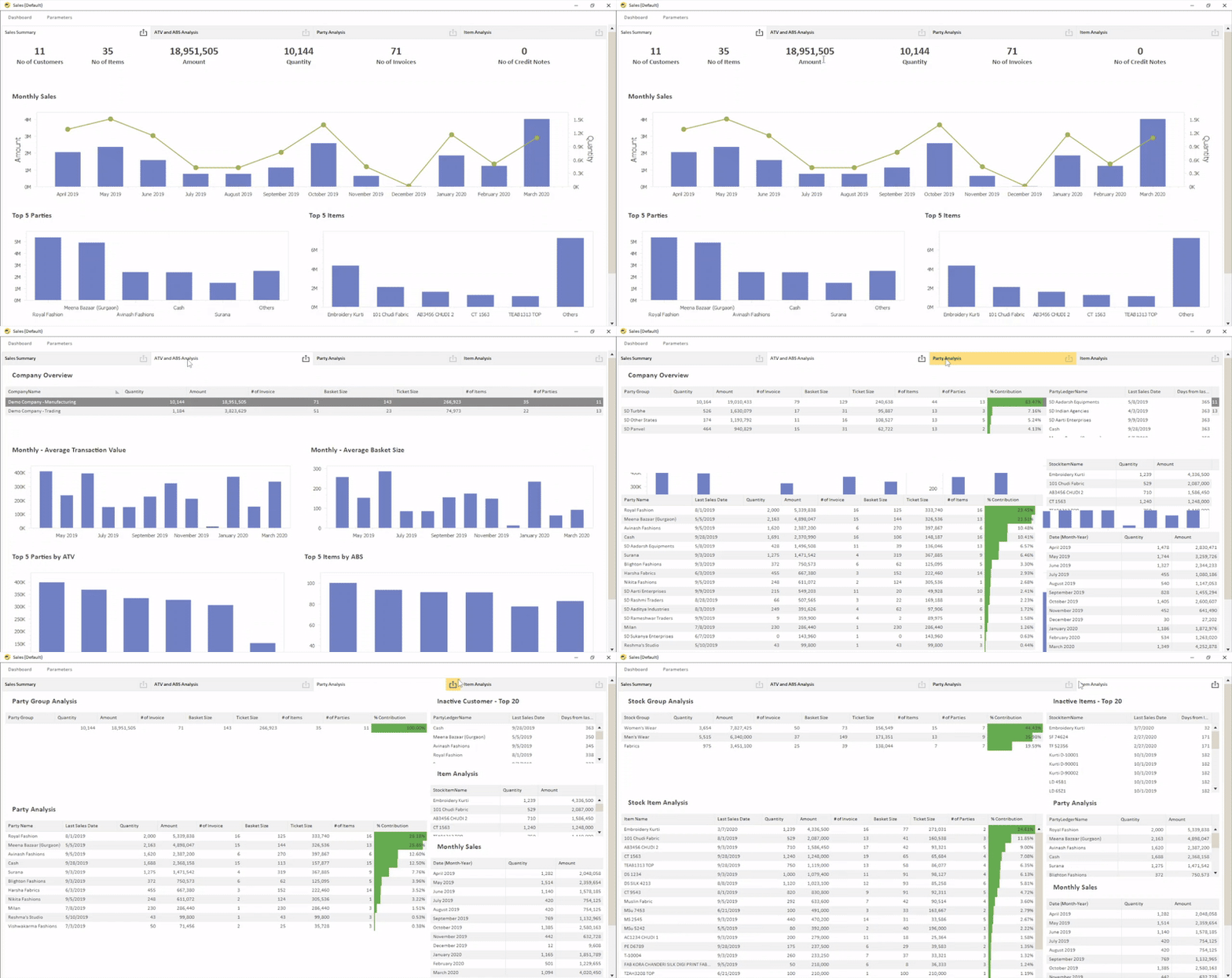
If your team spends more time preparing reports than analyzing them, it may be time to move beyond manual spreadsheets. Automated reporting solutions such as EasyReports help SMEs streamline reporting, improve decision-making and gain faster access to meaningful business insights. Get the demo now!
Frequently Asked Questions (FAQs)
1. What are the Top Excel Reporting Challenges faced by SMEs?
The Top Excel Reporting Challenges include manual data entry errors, slow MIS report preparation, lack of real-time insights, difficult data consolidation across branches, and poor performance when handling large Excel files.
2. Why do SMEs still use Excel for business reporting?
Many SMEs continue using Excel because it is familiar, flexible, and readily available. It is commonly used to analyze data exported from ERP systems such as Tally Prime, SAP Business One, and Microsoft Dynamics.
3. Why is Excel not suitable for large-scale MIS reporting?
As business data grows, Excel becomes difficult to manage. Large files slow down reporting, manual updates increase the risk of errors, and creating consolidated reports across multiple companies or branches becomes time-consuming.
4. How can businesses overcome the Top Excel Reporting Challenges?
Businesses can overcome the Top Excel Reporting Challenges by using reporting automation software that connects directly to ERP systems, generates reports automatically, provides real-time dashboards, and reduces manual spreadsheet work.
5. Can EasyReports automate Excel-based MIS reporting?
Yes. EasyReports can automate MIS reports from Excel files, ERP systems, SQL databases, and other data sources. It also provides real-time dashboards, scheduled reporting, and consolidated reports for faster decision-making.
6. Does EasyReports replace Microsoft Excel?
No. EasyReports works alongside Excel by automating data collection and report generation. Users can still export reports and dashboards to Microsoft Excel for further analysis, sharing, or presentation.
7. Which ERP systems can EasyReports integrate with?
EasyReports integrates with Tally Prime, Tally ERP 9, SAP Business One, Microsoft Dynamics NAV, Microsoft Dynamics 365 Business Central, SQL Server, Excel, and other supported data sources to automate reporting.
8. What are the benefits of automating Excel reporting?
Automating Excel reporting helps reduce manual errors, save reporting time, improve data accuracy, generate real-time insights, simplify multi-company reporting, and enable faster business decisions.
Disclaimer
The information provided in this article is for general informational and educational purposes only. The reporting challenges, examples, and recommendations discussed are based on common business scenarios and may vary depending on an organization’s size, industry, reporting processes, and ERP environment. Microsoft Excel, Tally Prime, Tally ERP 9, SAP Business One, Microsoft Dynamics NAV, Microsoft Dynamics 365 Business Central, SQL Server, and other product names are trademarks or registered trademarks of their respective owners. EasyReports is an independent Business Intelligence (BI), MIS Reporting, Dashboard, and Reporting Automation solution and is not affiliated with, endorsed by, or sponsored by Microsoft, Tally Solutions Pvt. Ltd., SAP SE, or Microsoft Dynamics. Readers should evaluate reporting solutions based on their specific business requirements before making implementation decisions.