

October 23, 2026
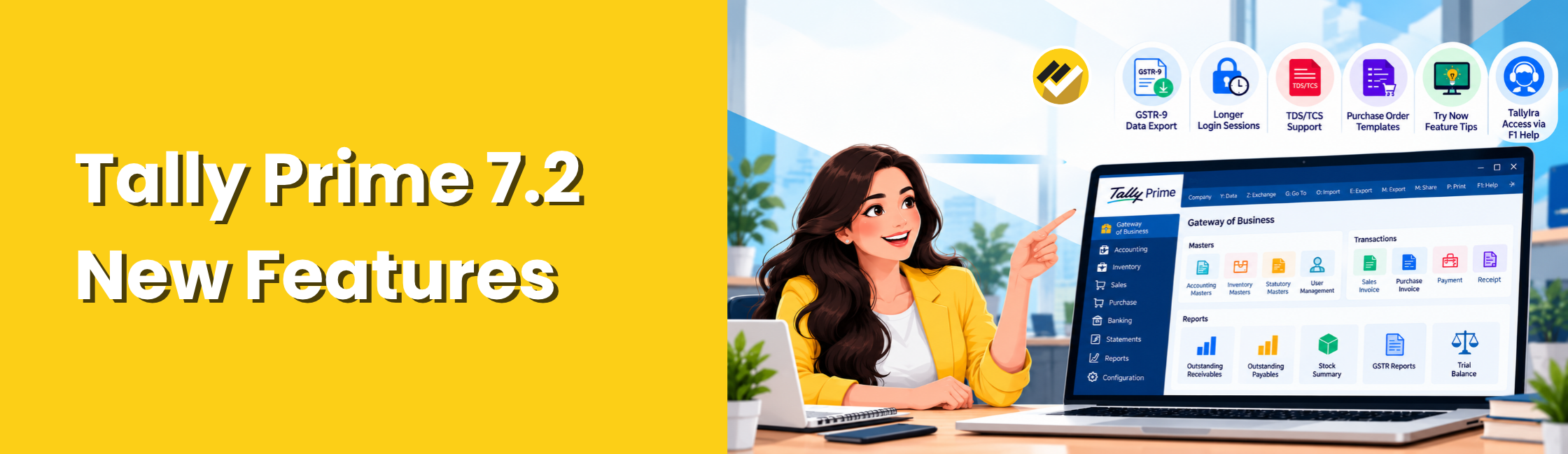
What are the new features of Tally Prime 7.2? Tally Prime 7.2 introduces updates to GST reporting, TDS and TCS return support, e-Invoice and e-Way Bill sessions, and document printing. Released on 12 October 2026, the version includes several key changes. In particular, these include GSTR-9 data export, extended login sessions, TDS and TCS updates, Purchase Order print templates, automatic template saving, GST calculation updates, and product guidance.
This guide explains the updates listed in the official Tally Prime 7.2 release notes, what they mean in practice, and how businesses can approach reporting after an upgrade.
What Are the New Features in Tally Prime 7.2?
The following sections explain the main updates and what businesses should check when using them.
1. Export GSTR-9 Data
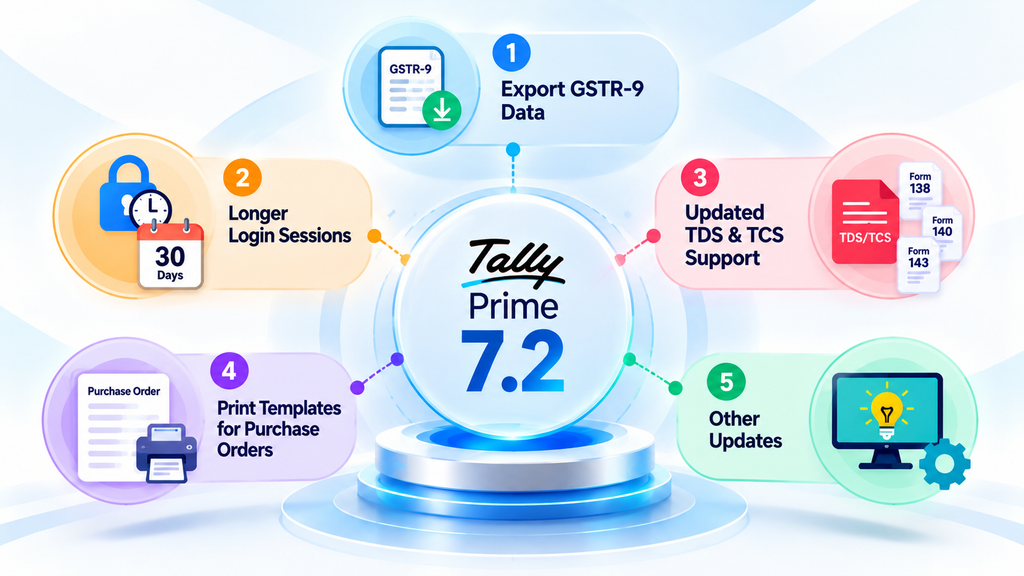
TallyPrime 7.2 adds an export option for the HSN/SAC Summary or all sections of the Annual Computation report. Businesses can use the exported data with the GSTR-9 Offline Tool.
What should businesses understand?
Exporting report data is not the same as filing a GST return. Businesses still need to review their information and complete the applicable steps in the GSTR-9 filing process.
2. Keep e-Invoice and e-Way Bill Login Sessions Active for Longer
The official release notes state that e-Invoice and e-Way Bill login sessions can remain active for up to 30 days, compared with the earlier six-hour period.
For users who regularly work with these services, a longer session duration can reduce the need to log in again as frequently.
3. Updated TDS and TCS Return Support
TallyPrime 7.2 includes support related to specified TDS and TCS return forms and the Protean FVU Tool 1.2.
The official release notes identify the following forms:
- Form 138: Related to salary TDS.
- Forms 140, 143 and 144: Related to non-salary TDS/TCS reporting.
The release also includes updates to related validation fields.
4. Use Print Templates for Purchase Orders
TallyPrime 7.2 extends print-template support to Purchase Orders, in addition to invoices.
Businesses that use Purchase Orders as part of their purchasing process can review how they print these documents and whether their existing templates meet their requirements.
The release also provides for automatic saving of changes made to Print, Export and Share configurations into user templates.
5. Other Updates Included in Tally Prime 7.2
The release notes also describe several other changes.
- GST calculation visibility
The update includes changes related to the visibility of GST calculations for deemed taxable value and tobacco products.
- TallyIra guidance in F1 Help
Tally Prime includes a Get Started with TallyIra option in F1 Help. This provides an entry point to the relevant product guidance.
- Try Now tile
The release includes a Try Now tile. Refer to Tally’s documentation and the options available in your installation for the relevant details.
- UAE e-Invoicing updates
TallyPrime 7.2 adds Corporate Tax company registration, individual and bulk e-Invoice exchange, invoice status tracking, detailed VAT information for advance receipts, and additional agency and allowance details.
What Should You Check Before Upgrading to Tally Prime 7.2?
An upgrade can affect the way a business carries out its regular accounting and reporting tasks. A planned review helps teams identify issues before they affect day-to-day work.
Use this checklist before upgrading:
- Back up your company data
- Check your Tally subscription and entitlement
- Review customisations
- Check connected workflows
- Test document output
- Validate statutory reports
- Review management reports
The final step matters because an accounting system may hold the necessary business data, but management teams often need that data organised into a format that helps them monitor performance.
How EasyReports Can Support Tally Reporting and MIS?
EasyReports is a reporting and MIS tool that works with Tally data & other ERPs. It helps businesses prepare reports and dashboards for analysis beyond their routine accounting workflows.
While Tally Prime 7.2 introduces the specific accounting and compliance updates described above, EasyReports serves a different purpose: helping teams organise business information for reporting and management review. Depending on the organisation’s reporting setup and requirements, EasyReports can support tasks such as:
I. Automating recurring reports
Teams that regularly prepare the same management reports can use EasyReports’ reporting and scheduling capabilities to reduce repeated manual preparation.
II. Reviewing sales and customer information
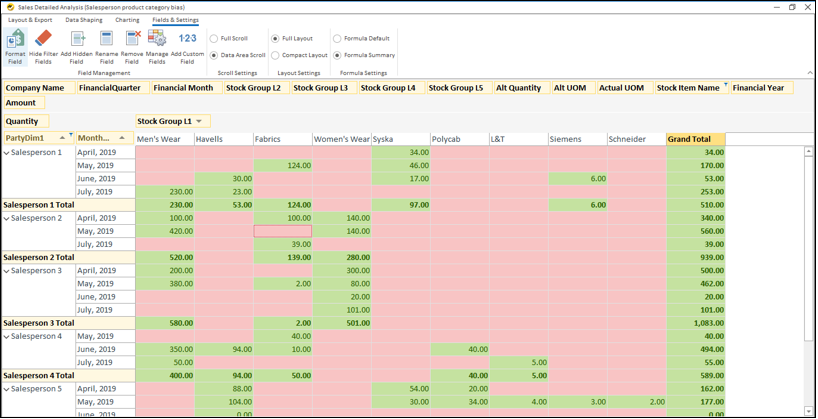
Businesses can use relevant sales and customer reports to review performance and identify areas that need attention.
III. Monitoring outstanding amounts
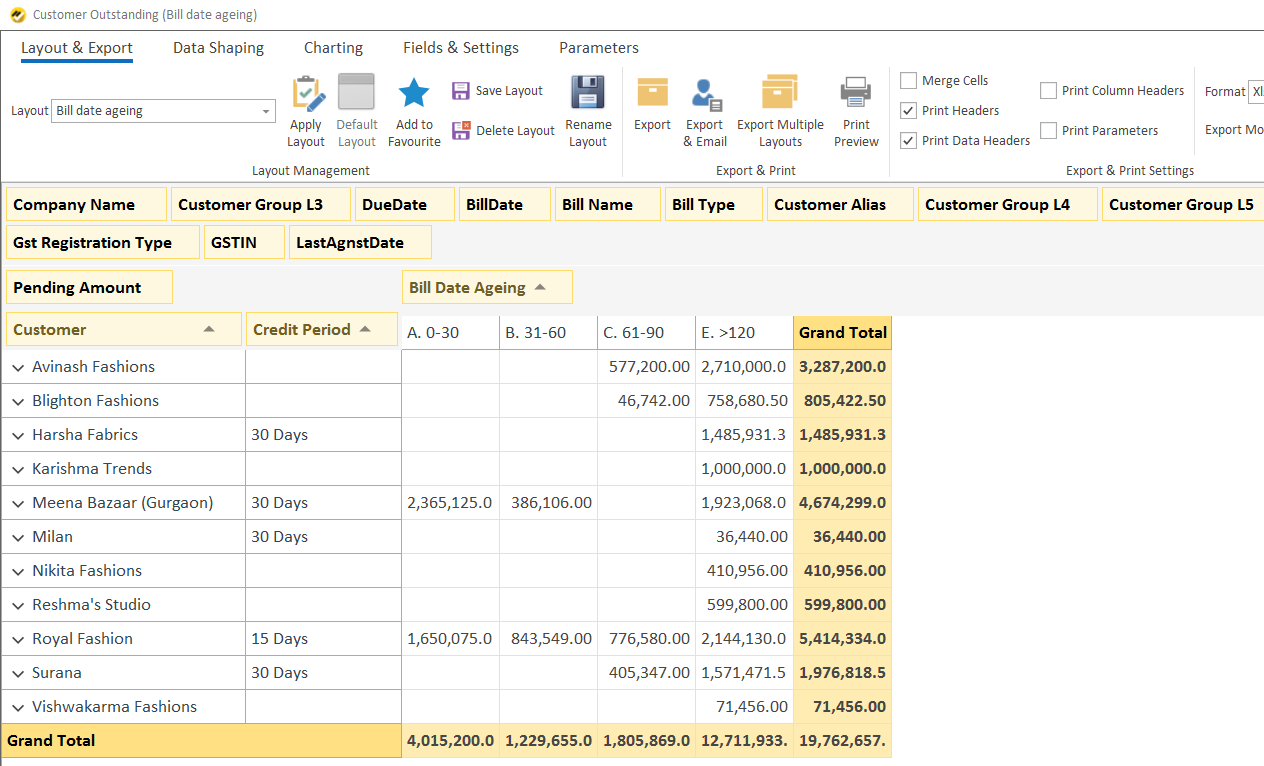
Customer outstanding and ageing reports can help finance teams review receivables and prioritise follow-up.
IV. Analysing inventory and purchasing
Businesses can use relevant inventory and purchasing reports to examine stock-related information and support operational reviews.
V. Preparing financial and management reports
Finance teams can organise relevant financial information into reports for internal review. The exact report depends on the data available and the organisation’s configuration.
VI. Customising report layouts
EasyReports supports customised reporting layouts, allowing businesses to organise information according to their reporting needs.
These capabilities are separate from the new features in Tally Prime 7.2. With EasyReports, businesses can take their Tally 7.2 data to an advanced level by automating reports, analysing business information and viewing key insights through reports and dashboards to support better decision-making.
To learn more about the EasyReports Tally reporting capabilities, visit the EasyReports Tally integration page.
If your team spends too much time preparing recurring sales, outstanding, inventory, or financial reports, book a demo to see how EasyReports can automate reporting and help you analyse your Tally data more efficiently.
Frequently Asked Questions
1. What are the new features in Tally Prime 7.2?
TallyPrime 7.2 includes GSTR-9 data export, extended e-Invoice and e-Way Bill sessions, TDS/TCS updates, Purchase Order print templates, GST calculation improvements and UAE e-Invoicing enhancements.
2. When was TallyPrime 7.2 released?
TallyPrime 7.2 was released on 12 October 2026, according to the official TallyPrime release notes.
3. Can TallyPrime 7.2 export GSTR-9 data?
Yes. It can export the HSN/SAC Summary or all sections of the Annual Computation report for GSTR-9 preparation. Review and reconcile the data before filing.
4. How long can e-Invoice and e-Way Bill sessions remain active?
TallyPrime 7.2 supports sessions of up to 30 days, compared with the earlier six-hour period. The extended session can be enabled or disabled as needed.
5. What TDS and TCS return forms are supported in TallyPrime 7.2?
The update supports Form 138 for salary TDS and Forms 140, 143 and 144 for non-salary TDS/TCS reporting, with support for Protean FVU Tool 1.2.
6. Can Purchase Order print templates be customised in TallyPrime 7.2?
Yes. Purchase Orders now support print templates. Changes to Print, Export and Share configurations can also be saved automatically to user templates when the relevant option is enabled.
7. What should a business check before upgrading to TallyPrime 7.2?
Back up company data, review customisations and connected workflows, validate statutory reports, test document printing and check management reports before using the upgraded version for routine work.
8. Can EasyReports be used with TallyPrime 7.2 for management reporting?
EasyReports provides reporting and MIS capabilities for Tally data and other supported sources. It helps businesses analyse sales, receivables, inventory and financial performance through reports and dashboards. Confirm compatibility with your installation.