


January 6, 2026
What’s new in the Tally Prime 7.0 Version? Tally Prime 7.0 introduces auto backup, Prime Banking Payments, Smart Find, smoother migration, enhanced GST compliance, ITC controls and JSON integration for smarter accounting and compliance.
I) Tally Prime 7.0 Features: Auto Backup
Auto Backup is the standout feature. Schedule automatic backups to TallyDrive (cloud) or local storage backups run even when TallyPrime is closed! Protect backups with passwords and recovery keys, restore specific versions.
II) Tally Prime 7.0 Features: Prime Banking Payments
Another important part of Tally Prime 7.0 new features is Prime Banking Payments. This feature simplifies the entire payment process by allowing users to initiate payments directly from Tally.
With Prime Banking Payments, you can:
- Send online payments directly from TallyPrime
- Set single and daily transaction limits for control
- Get real-time payment status updates
- Send automated payment advice to suppliers

III) Tally Prime 7.0 Features: SmartFind
SmartFind is TallyPrime’s search feature that helps you locate information instantly across all loaded companies. Find what you need even without exact names or spellings.
This is one of the most productivity-focused Tally Prime 7.0 new features, especially for users handling multiple companies.
IV) Tally Prime 7.0 Features: Easier Migration
Yes! Migration is now smoother. Stop migration anytime and resume later without starting over.
V) Tally Prime 7.0 Features: GST Compliance Improvements
Tally Prime 7.0 simplifies GST compliance:
- Cancel e-Way Bill, e-Invoice, and voucher all at once
- Export GSTR-3B in single JSON or Excel file
- Identify and correct duplicate vouchers across GST reports
VI) Tally Prime 7.0 Features: Enhanced ITC Management & JSON Integration
Enhanced ITC management includes:
- Record ITC reduction for B2BA, CDNRA, and B2BDNA invoices
- Live portal sync with GST portal
- Add remarks for pending and rejected invoices
Also, Tally Prime now supports JSON data exchange alongside Excel and XML, enabling smooth integration with external applications.
Why integrate Tally Prime 7.0 with EasyReports BI?
What is EasyReports BI?
EasyReports BI automates reporting for Tally, SAP B1, NAV, and BC. It delivers actionable insights, saves time and helps businesses make data-driven decisions faster.
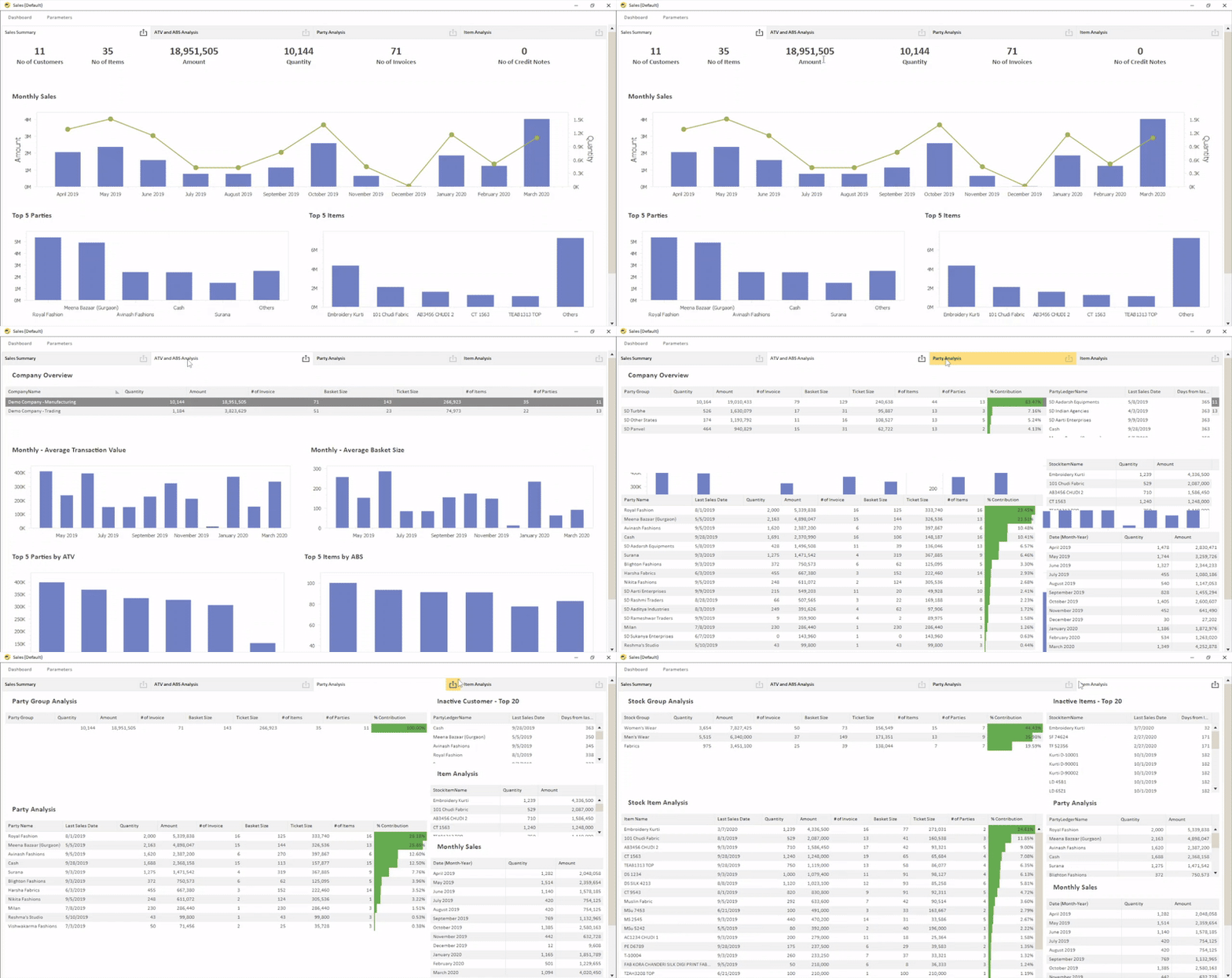
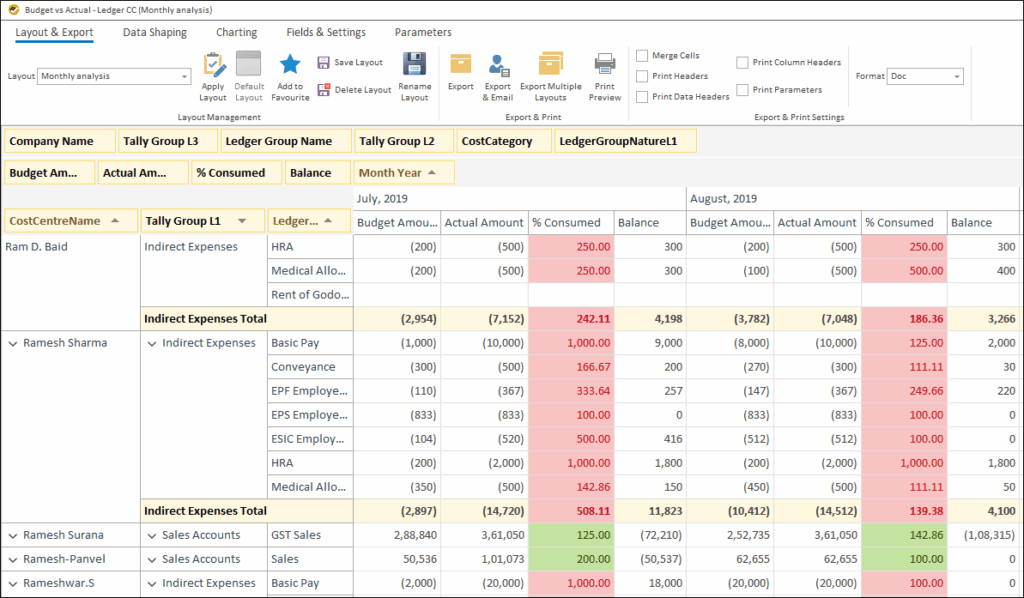
Even with Tally Prime 7.0’s upgrades, businesses often need automated & customized reports & dashboards. EasyReports BI provides:
- 99+ ready to use reports and dashboards
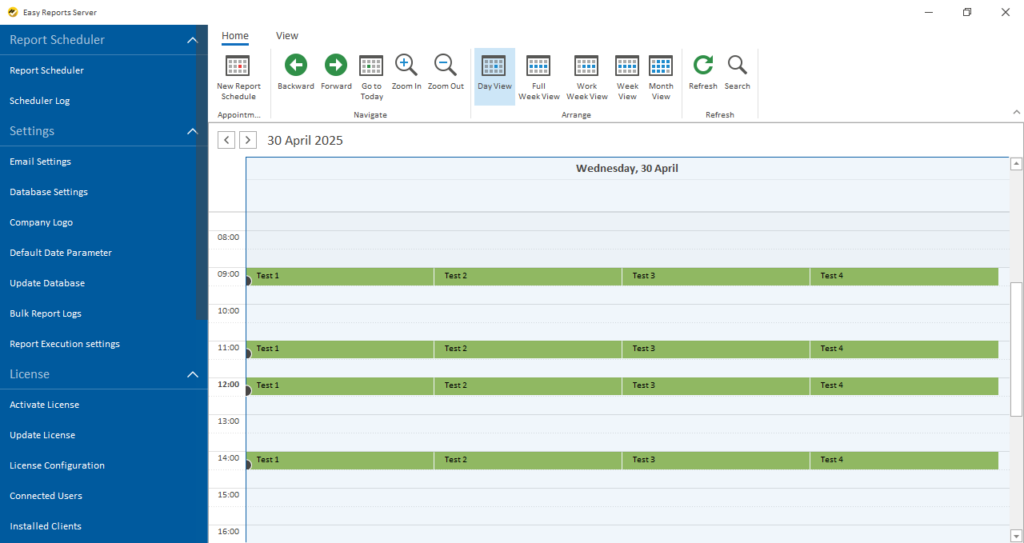
- Automated email scheduling for reports
- Multi-industry support: Trading, Manufacturing, Services, IT/ITES, Finance, Projects
- Custom reports combining Tally data, Excel and custom fields
How to Get Start with EasyReports?
For to get start with EasyReports follow the process below:
- Install EasyReports: Set up the reporting tool
- Integrate with data sources: Integrate with ERPs like Tally Prime 7.0
- Run initial reports: Generate standard reports & dashboards to understand your stock position
- Set up regular schedules: Create automatic report generation schedules
Tally Prime 7.0 offers powerful accounting and compliance features, but integrating EasyReports BI takes your reporting to the next level with automation and advanced analytics.
Book a free demo and experience automated reporting from Tally Prime 7.0 today.
Disclaimer: This blog article is for educational purposes only. Tally is a product of Tally Solutions Pvt. Ltd. and we do not claim any affiliation.
Frequently Asked Questions (FAQs)
1. What are the main Tally Prime 7.0 new features?
In latest Tally Prime version includes improved data safety, smoother migration, faster search, better GST compliance, enhanced ITC handling, and support for modern data integration formats.
2. Which is the biggest feature in Tally Prime 7.0?
Auto Backup is considered the biggest feature in Tally Prime 7.0. It allows users to schedule backups automatically and secure business data without manual effort.
3. Is migration easier in Tally Prime 7.0?
Yes, migration is smoother in Tally Prime 7.0. Users can pause the migration process at any stage and resume it later without restarting from the beginning.
4. What is EasyReports BI?
EasyReports BI is a business intelligence and reporting tool that automates reports and dashboards for Tally, SAP B1, NAV and Business Central, helping businesses make faster decisions.
5. Why should businesses use EasyReports BI with Tally Prime 7.0?
EasyReports BI helps businesses automate reports, create dashboards and gain deeper insights from Tally data, going beyond standard reporting available in Tally Prime 7.0.
6. Can EasyReports auto schedule reports from Tally Prime 7.0?
Yes, EasyReports allows you to schedule reports automatically and send them via email in PDF or Excel formats at predefined intervals.