

June 9, 2025
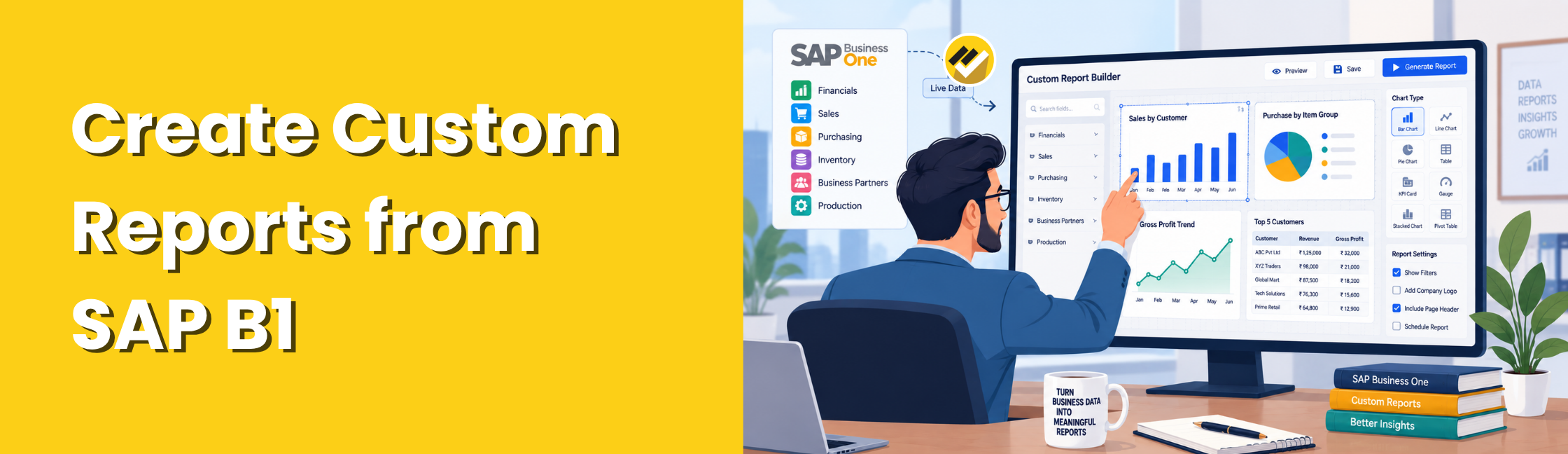
Businesses often need reports that standard SAP Business One reports do not fully cover. They may need custom views for finance, sales, inventory, purchasing, profitability or management analysis.
So, how can you create custom reports from SAP Business One data? You can connect SAP Business One data to a BI reporting tool such as EasyReports, build the required data models and create customized reports and dashboards without relying on manual Excel preparation.
Why Create Custom Reports from SAP Business One Data?
Custom reports help businesses view ERP data in a format that matches their reporting needs. They can:
- Combine data from different business areas.
- Add company-specific fields and calculations.
- Compare actual performance with budgets or targets.
- Analyze sales, inventory, finance and customer data.
- Create management-ready dashboards.
How to Create Custom Reports from SAP Business One Data in a BI tool?
1. Connect SAP Business One Data
Connect your SAP Business One database to the BI reporting platform. This gives you direct access to the data needed for reporting.
2. Select the Required Data
Choose the tables, fields and business information needed for your report. You can use SQL queries to create the required data models.
3. Build the Custom Report
Use the selected data to create formatted reports, grids, spreadsheets or dashboards. Add filters and parameters based on your reporting requirements.
4. Automate Report Generation
Schedule recurring reports and automatically distribute them to management or other users. This reduces manual report preparation and saves time.
How Does EasyReports Help?
EasyReports connects with SAP Business One and helps businesses turn ERP data into customized reports and dashboards. It supports data modelling, SQL-based queries, reusable data models, report parameters, dashboards, multi-company reporting and automated report scheduling.
With EasyReports, businesses can create custom reports for finance, sales, purchasing, inventory, customers and operations while accessing current SAP Business One data.
What Types of Custom Reports Can You Create?
You can create reports such as:
- Financial reports for profitability, balance sheets and expenses.
- Sales reports for customers, products, salespeople and trends.
- Inventory reports for stock movement, ageing and item performance.
- Purchase reports for suppliers, purchases and price analysis.
- Customer reports for receivables, outstanding balances and transactions.
- Management dashboards for KPIs and business performance.
Creating custom reports from SAP Business One data gives businesses more flexibility than relying only on standard reports. With a BI reporting tool like EasyReports, teams can connect SAP Business One data, build customized reports and dashboards, and automate report delivery from one reporting platform.
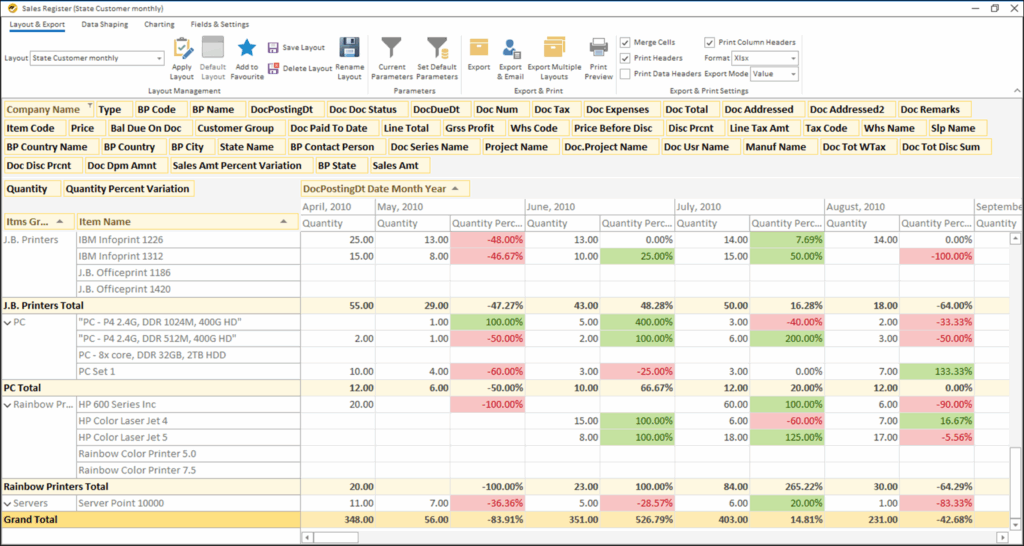
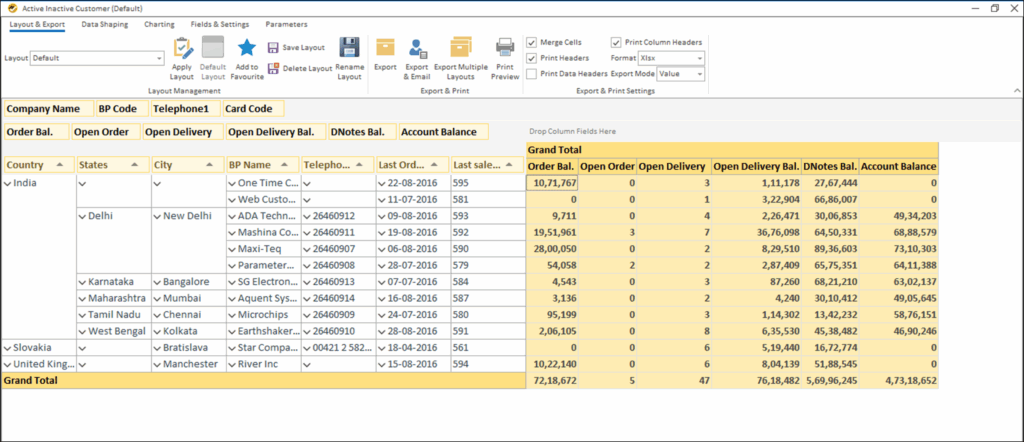
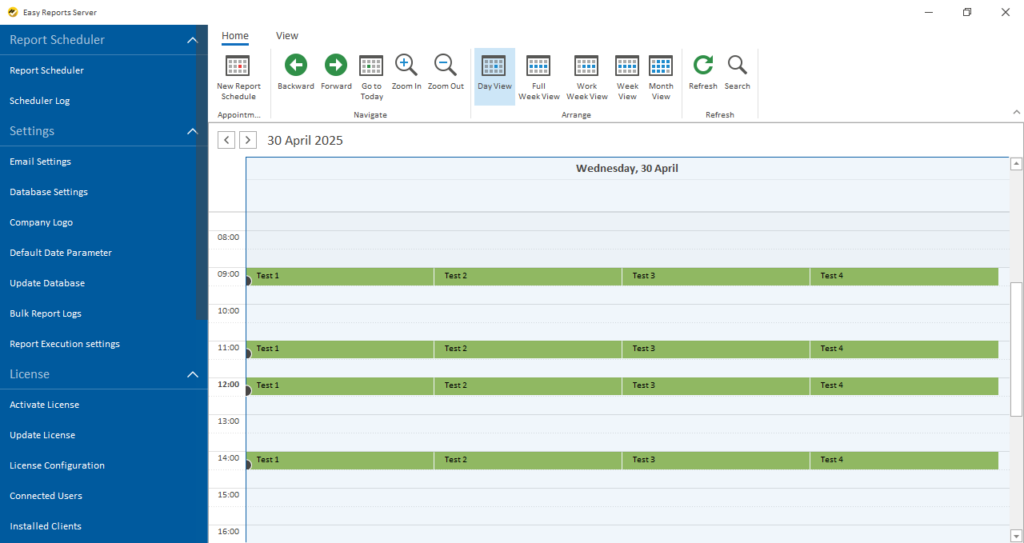
Ready to create custom reports from SAP Business One data? Connect EasyReports with your SAP Business One data to build customized reports and dashboards, analyze business performance, and automate report delivery. Get your free demo and see EasyReports in action.
Frequently Asked Questions (FAQs)
1. Can I create custom reports from SAP Business One data?
Yes. EasyReports helps you create customized reports and dashboards from SAP Business One data.
2. What data can I use for custom SAP Business One reports?
You can use finance, sales, purchasing, inventory, customer and other SAP Business One data.
3. Do I need SQL knowledge to create custom reports?
EasyReports supports SQL-based data models and reusable report structures for custom reporting.
4. Can I create dashboards from SAP Business One data?
Yes. EasyReports lets you turn SAP Business One data into customized dashboards and visual reports.
5. Can I automate custom SAP Business One reports?
Yes. You can schedule custom reports and automatically distribute them to users or teams.