

November 6, 2026
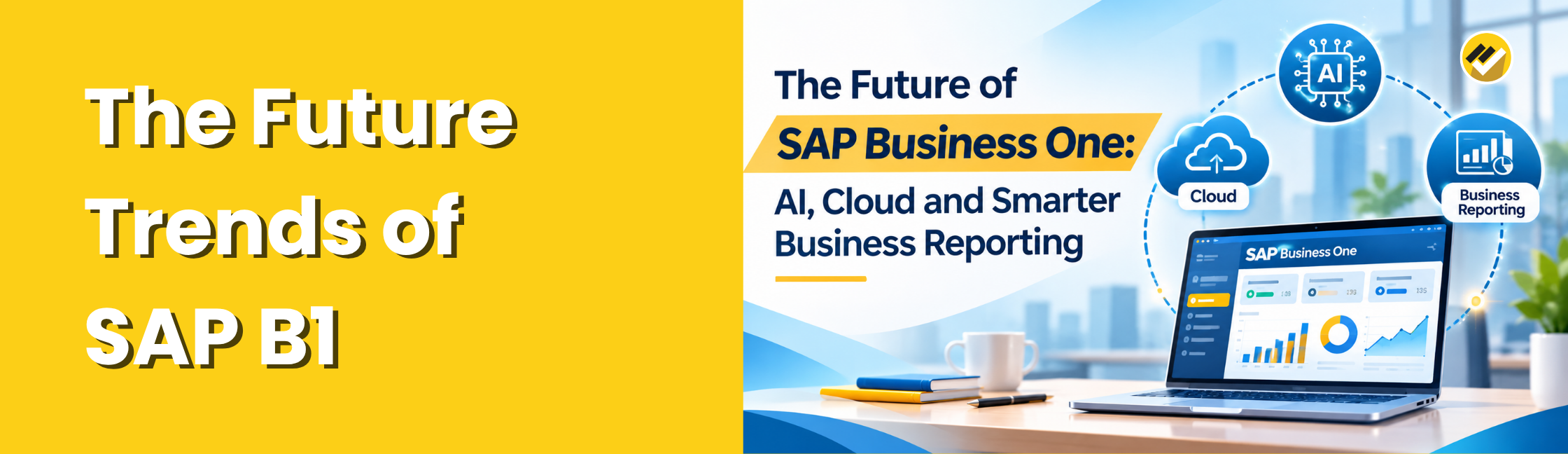
What is the future of SAP Business One? The future of SAP Business One is shaped by artificial intelligence, cloud technology, Web Client improvements and smarter business intelligence. These developments help businesses improve ERP accessibility, automate reporting processes and gain meaningful insights from financial and operational data.
The future of SAP Business One is moving towards more connected, intelligent and accessible business operations. Developments in artificial intelligence (AI), the Web Client, cloud infrastructure and analytics are creating new ways for businesses to interact with ERP data. These developments also increase the need for clear, timely and structured business reporting.
SAP Business One already provides businesses with an integrated platform for managing their operations. However, managers often need additional reporting capabilities to analyse information across departments, compare performance, consolidate multiple companies and distribute management reports.
This is where business intelligence and reporting solutions such as EasyReports can add value. By connecting with SAP Business One, EasyReports helps businesses turn ERP data into meaningful reports, dashboards and management insights.
5 SAP Business One Trends Shaping the Future of ERP
1. AI-Powered Queries and Business Insights
Artificial intelligence is becoming an important part of business software. Instead of relying entirely on manual searches and predefined navigation, users increasingly expect to ask questions in natural language and receive relevant information.
SAP Business One Web Client 10.0 FP 2608 introduces the Ask AI feature in supported list and detailed views. Users can ask questions about selected business data and create reusable question templates. The same feature set includes AI-assisted user-defined queries, which can help users generate SQL statements by describing the data they want to analyse.
What does this mean for businesses?
AI can make it easier to explore selected information, but organisations still need reliable reporting processes for recurring business analysis.
For example:
- Finance teams need regular profit and loss and balance sheet reports.
- Sales managers need customer-wise and product-wise sales analysis.
- Inventory teams need stock movement and ageing reports.
- Management needs consolidated dashboards and performance comparisons.
AI-assisted questions can support information discovery. Structured business intelligence and reporting help teams monitor performance consistently.
2. Continued Development of the SAP Business One Web Client
The SAP Business One Web Client provides browser-based access to supported ERP functions through an interface based on the SAP Fiori design concept. It works with both Microsoft SQL Server and SAP HANA database technology.
SAP continues to enhance the Web Client with improvements to business processes, analytics and user experience.
For businesses, this direction supports more flexible access to ERP information. Employees can work with supported business functions through a browser instead of depending entirely on the traditional desktop interface.
However, browser-based ERP access does not automatically answer every management reporting requirement.
A business may still need customised dashboards, financial comparisons, department-wise reports and consolidated views across multiple companies. These requirements depend on how the organisation analyses and presents its data.
The opportunity: Businesses can combine their SAP Business One environment with reporting tools that make operational and financial information easier to understand.
3. Cloud Infrastructure and the Future SAP Business One Roadmap
Cloud technology continues to influence how organisations deploy, manage and access business applications. Businesses increasingly evaluate deployment flexibility, infrastructure management, scalability and data control when planning their ERP environments.
SAP’s published roadmap material discusses further cloud-related developments and continued evolution of the SAP Business One platform. Planned roadmap items should be treated as future direction rather than features that every customer can already use.
For SAP Business One users, the important consideration is how their reporting environment will support their chosen infrastructure.
Businesses need to consider:
- Where they store their ERP data.
- How authorised employees access reports.
- How they manage reporting across locations and companies.
- How they control access to sensitive financial information.
- How they distribute reports to relevant teams.
Reporting should support the organisation’s deployment and data-control requirements rather than create unnecessary complexity.
4. Better Analytics and Business Intelligence
ERP systems collect large amounts of operational information. However, raw transaction records do not always give managers the complete picture.
Business intelligence helps organisations organise, compare and interpret that information.
For example, a sales report can show revenue by customer, product, region or salesperson. An inventory report can identify fast-moving and slow-moving products. A financial dashboard can help management compare profitability across different periods.
SAP Business One provides reporting and analytics capabilities, while businesses may also require additional tools to create customised management views and combine information for wider analysis.
The future of ERP reporting is not simply about generating more reports. It is about helping users find the information that answers their business questions.
5. Reporting Automation and Connected Business Processes
Many organisations still prepare management reports by exporting ERP data, modifying Excel files and combining information from different departments.
This process can consume time and introduce inconsistencies, particularly when teams repeat the same reporting activities every day, week or month.
Reporting automation helps reduce repetitive manual work. Businesses can prepare reports using defined data models, apply filters and parameters, schedule report execution and distribute the results to relevant users.
For example, a finance team can receive scheduled financial reports, while sales managers can receive reports related to their business areas.
Automation helps teams spend less time preparing routine reports and more time reviewing business performance.
Why Do SAP Business One Users Need More Than Transactional Reporting?
SAP Business One helps businesses manage core operations. However, management teams often need to analyse information across multiple functions and reporting periods.
The ERP system records the transactions, but management may still ask questions such as:
- Which customers have the highest outstanding balances?
- Which products generate the most revenue?
- Which items remain in stock for too long?
- How does this month’s profitability compare with the previous month?
- Which sales orders remain pending?
- How do different branches or companies perform against one another?
- Which expenses are increasing?
Answering these questions may require users to combine data, apply filters, prepare calculations and create reports.
Without an organised reporting process, teams may depend on manual Excel work or request information from different departments.
A dedicated reporting and business intelligence solution can help businesses create repeatable reports and present the information in a format that managers can use.
How EasyReports Helps Businesses Get More from SAP Business One?
EasyReports connects with SAP Business One SQL Server and SAP HANA databases to help businesses create reports, dashboards and business analysis from their ERP data.
Instead of relying only on standard transaction views or manually preparing spreadsheets, businesses can use EasyReports to build customised reporting structures for finance, sales, inventory, purchasing and management.
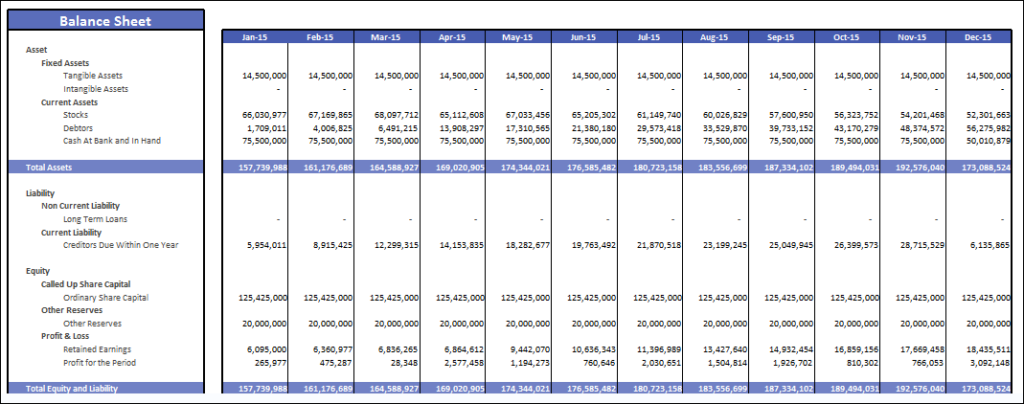
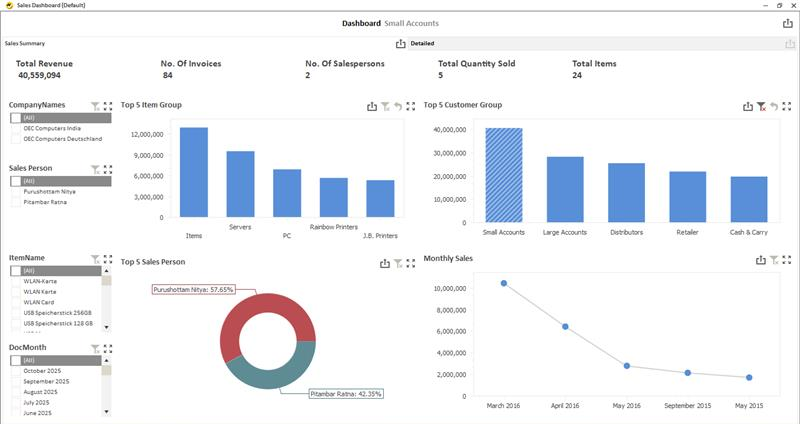
Here is how EasyReports supports SAP Business One users.
- Connect SAP Business One SQL Server and SAP HANA Data
- Create Custom Reports Without Rebuilding Every Report from Scratch
- Improve Financial Visibility with SAP Business One Reports
- Monitor Sales Performance and Customer Activity
- Analyse Inventory and Purchasing Performance
- Consolidate Reports Across Multiple Companies
- Schedule and Distribute Reports Automatically
- Manage Report Access and Data Security
Turn your SAP Business One data into meaningful business insights with EasyReports.
Explore EasyReports SAP B1/HANA Reporting Ideas and Benefits or book a personalised demo to see how EasyReports can support your organisation’s reporting requirements.
Disclaimer
The information in this article is provided for general informational and educational purposes only. SAP Business One features, product updates and roadmap plans may change over time. Some capabilities discussed may depend on the SAP Business One version, feature pack, deployment environment, licensing, configuration or regional availability. Future roadmap items are subject to change and should not be considered confirmed release commitments.
EasyReports is an independent reporting and business intelligence solution that connects with supported SAP Business One SQL Server and SAP HANA environments. EasyReports is not affiliated with, endorsed by or officially sponsored by SAP SE.
Frequently Asked Questions (FAQ)
Q1. What is the future of SAP Business One?
SAP Business One is evolving through AI, cloud infrastructure, Web Client capabilities and business intelligence to improve ERP accessibility and business analysis.
Q2. Is SAP Business One moving towards AI-powered ERP?
Yes. SAP is introducing AI capabilities, including Ask AI and AI-assisted user-defined queries in FP 2608, subject to supported environments and configurations.
Q3. Does SAP Business One support cloud deployment?
Yes. SAP Business One can operate in cloud-hosted environments, depending on infrastructure, hosting arrangements and deployment requirements.
Q4. What is the role of AI in SAP Business One reporting?
AI helps users explore selected business information, generate SQL statements through supported query functionality and simplify information discovery.
Q5. Can SAP Business One generate customised management reports?
Yes. Businesses can use solutions such as EasyReports to create customised financial reports, sales dashboards, inventory analysis and management reports.
Q6. How can SAP Business One reporting be automated?
Reporting automation solutions can prepare customised reports, apply filters, schedule report execution and distribute reports to relevant users.
Q7. What is the difference between SAP Business One reporting and business intelligence?
SAP Business One reporting provides operational and financial information, while business intelligence helps analyse, compare, visualise and consolidate data for better decisions.