


March 13, 2026
What Is the Fastest Way to Automate Year-End Financial Reports in India? The fastest way to automate year-end financial reports in India is by connecting your ERP system such as Tally, SAP Business One, or Microsoft NAV with a BI reporting tool. Once connected, the reporting tool pulls financial data automatically and generates reports such as Profit & Loss statements, Balance Sheets, Cash Flow reports & more.
Why Do Indian Businesses Struggle with Year-End Financial Reporting?
Every year, as March 31 approaches, finance teams across India face pressure.
Accountants download financial data from ERPs, move it into Excel sheets, adjust formats, check formulas and prepare financial statements manually. If numbers change or corrections are required, the entire process often needs to be repeated.
The good news is that businesses can automate year-end financial reports in India using modern reporting tools.
Why Should Businesses Automate Year-End Financial Reports?
Automation helps solve many of these challenges.
| Problem with Manual Reporting | How Automation Helps |
| Preparing reports takes several days | Solution: Reports are generated in minutes |
| Excel formulas may cause errors | Solution: Data comes directly from ERP |
| Report formats change every month | Solution: Templates keep reports consistent |
| Management cannot see real-time data | Solution: Dashboards provide realtime visibility |
| Difficult to consolidate multiple companies | Solution: Consolidated reports are available |
| Ledger mapping is done repeatedly | Solution: Mapping is saved automatically |
How to Automate Year-End Financial Reports in India: Step-by-Step
Step 1: Choose the Right BI Reporting Tool
Start by identifying the ERP system your business uses, such as Tally, SAP Business One, Microsoft NAV, or Business Central and other accounting softwares or data sources.
Next, choose a BI reporting tool that integrates with your ERP system.
A reporting tool like EasyReports offer:
- Ready ERP connectors
- Financial report templates
- Easy data integration
Step 2: Connect Your ERP Data Source
The next step is to connect your ERP system with the reporting tool.
For example:
- Tally users connect through a EasyReports Tally connector
- SAP Business One or NAV users connect directly to the database or access data via API
This connection allows the reporting system to access transactions, master data and stock information automatically.
Step 3: Map Ledgers to Financial Reporting Heads
In this step, ERP ledgers are mapped to financial reporting categories such as Revenue, Expenses, Assets and Liabilities.
Standard mapping templates help define the financial reporting structure used for reports like Profit & Loss and Balance Sheet. Finance teams can download the mapping template, assign ledgers to the appropriate reporting heads and upload the mapping back into the reporting system.
Step 4: Generate Financial Reports in Multiple Formats
Once the mapping and validation are completed, financial reports can be generated directly from the reporting system.
Reports are typically available in multiple formats, such as:
- Pivot Reports for flexible data analysis
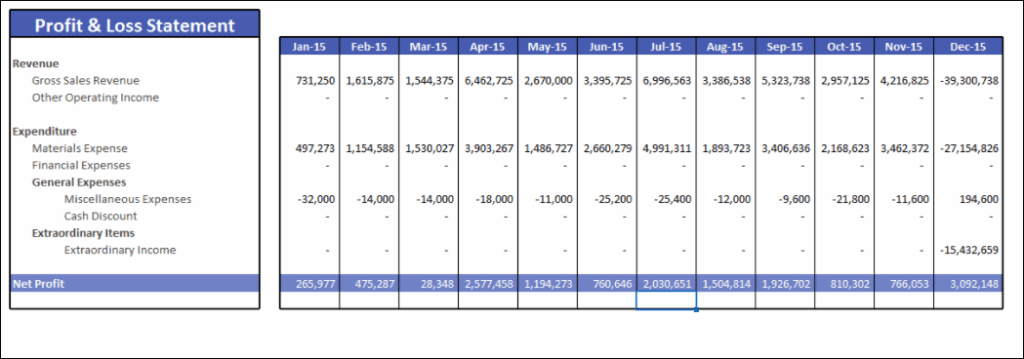
- Spreadsheet Reports for structured financial statements in Excel format
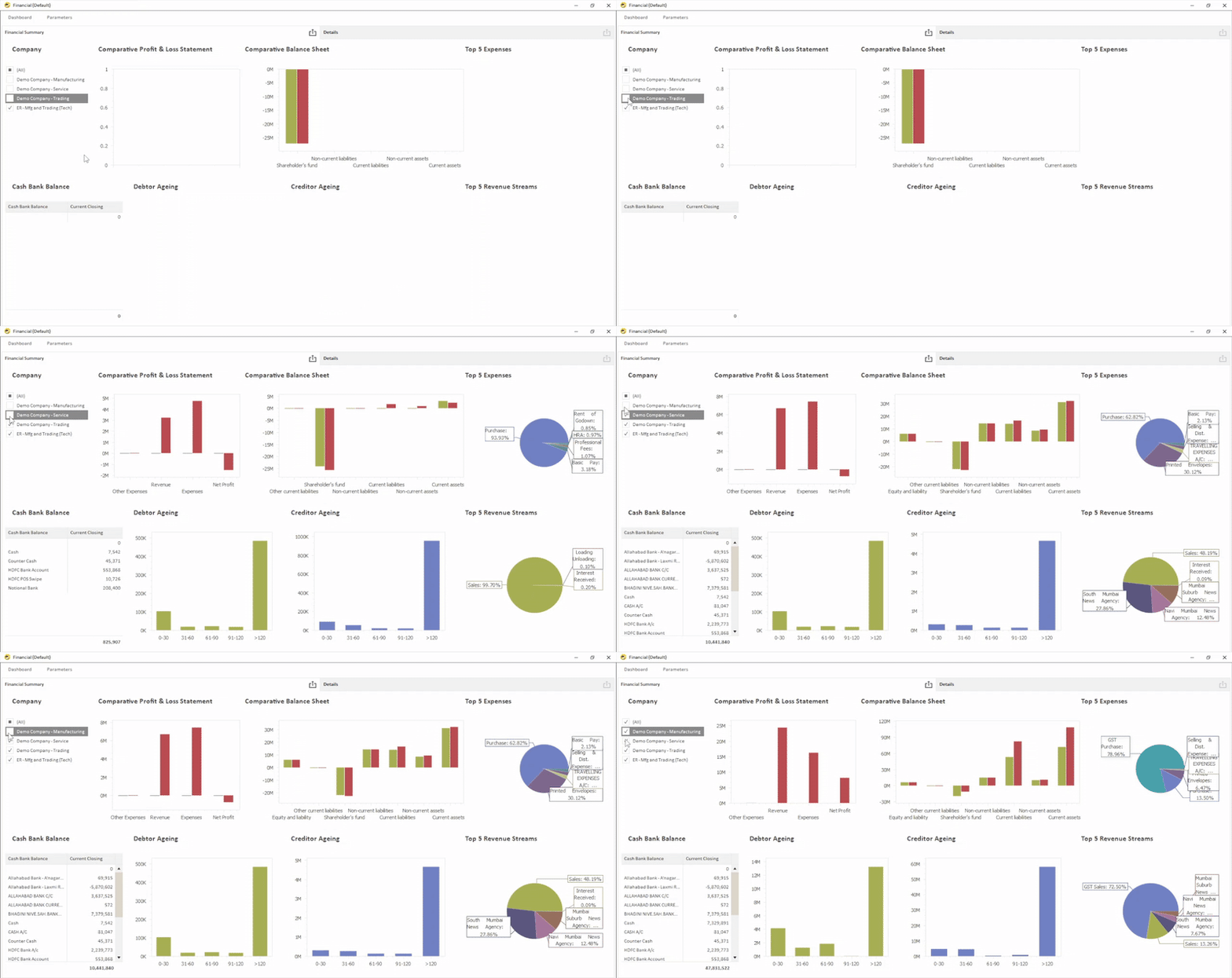
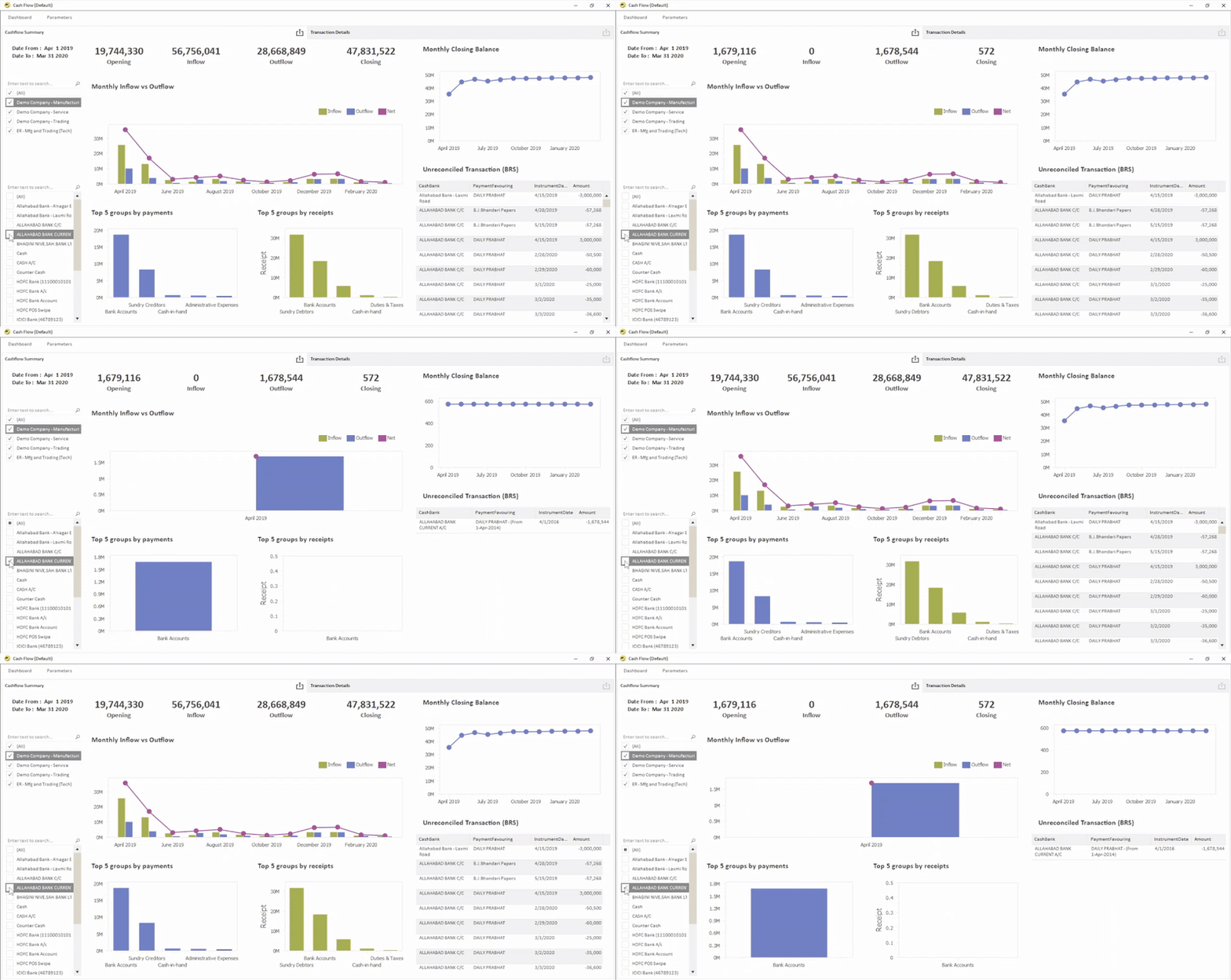
- Dashboards for visual summaries of financial performance
Step 5: Upload Budget and Target Data
Budget data can be uploaded either at:
- Ledger level
- Mapping Head Level (Financial Statement Heads)
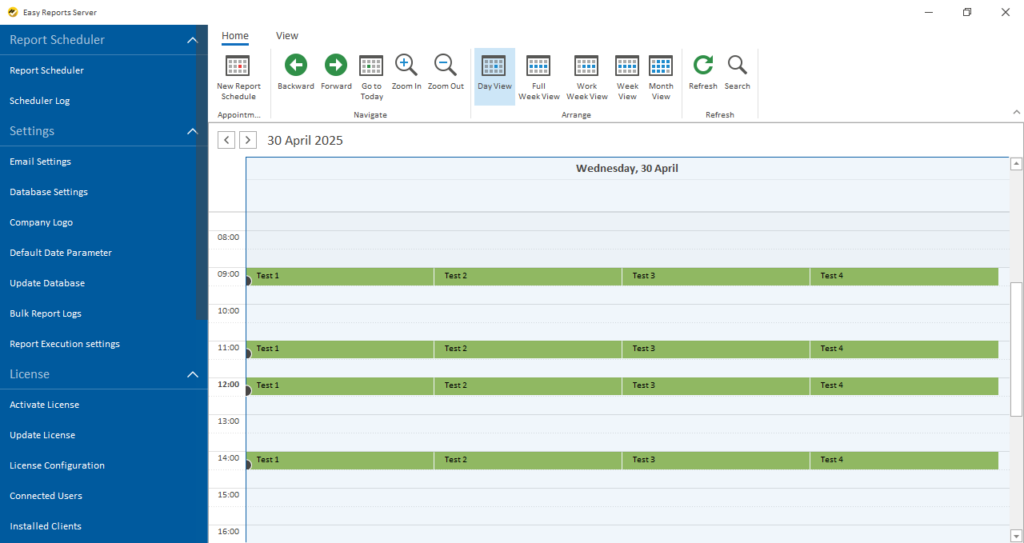
Step 6: Schedule Automatic Report Delivery
Businesses can schedule reports to run automatically, i.e. they can schedule it. Reports can be generated: Monthly, quarterly, annually.
Pro Tip: Use Automation Every Month
One major advantage of automating year-end financial reports in India is that the same setup works throughout the year.
Once configured, the system can generate financial reports every month automatically. This helps businesses monitor financial performance regularly instead of waiting until year-end.
Which Tool Can Automate Year-End Financial Reports in India?
EasyReports is a BI reporting and automation tool designed for businesses using ERP systems, helps businesses generate financial reports automatically and analyse data through reports & dashboards and templates. For more visit www.easyreports.in
What Problems Does EasyReports Solve for Financial Reporting?
With EasyReports:
- Businesses can generate structured financial statements and other MIS reports in multiple formats. The system automatically maps ledgers to the correct reporting heads.
- The tool supports entity-wise and entity group-wise reporting, making it easier for companies managing multiple entities or branches.
- EasyReports also improves financial planning by providing budget analysis and variance tracking.
- In addition, the system helps finance teams manage cash flow and fund flow more effectively. Companies can track upcoming vendor payments, expected customer receipts and recurring transactions.
- Another important area EasyReports supports is working capital management. Businesses can monitor customer receivables, supplier payables and overdue payments to maintain better control over cash flow.
By solving these financial reporting challenges, EasyReports enables businesses to generate accurate reports faster and gain better insights from their Business data.
With the right reporting system in place, year-end closing can become much simpler and more efficient. Book your demo now!