

February 27, 2026
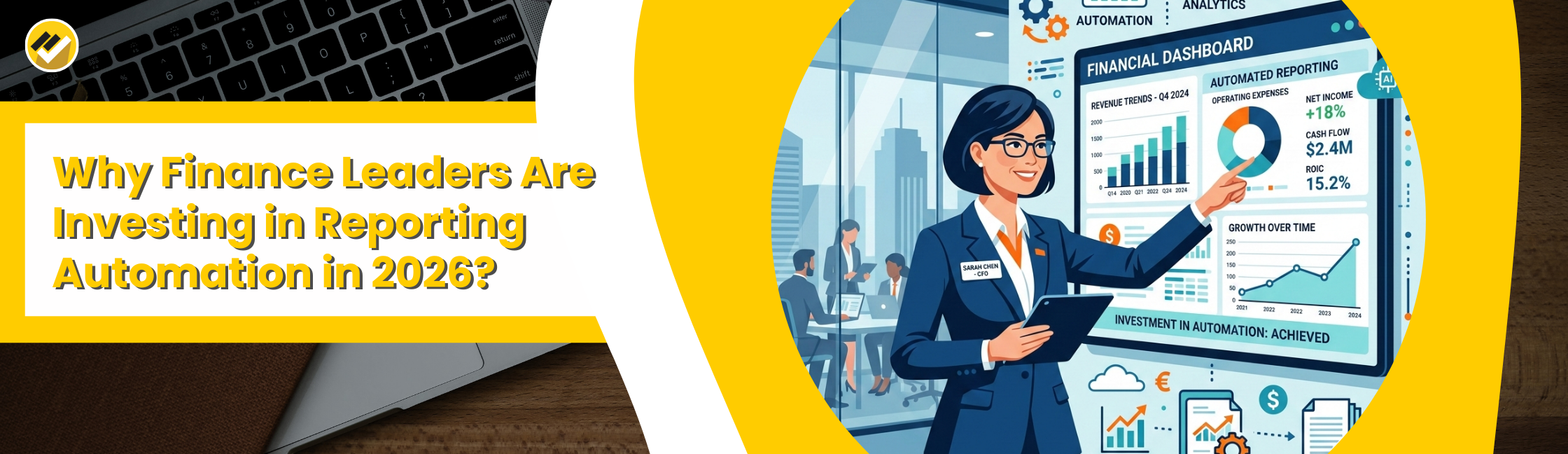
Why Are Finance Leaders Investing in Reporting Automation in 2026? Finance leaders are investing in reporting automation in 2026 because manual reporting consumes 40 to 60% of the finance team’s time, delays decision and introduces errors. Automation tools like EasyReports eliminate manual data downloads, generate real-time financial dashboard, and auto-distribute MIS reports, transforming the finance function.
Every CFO, Finance Director and Controller in 2026 faces the same challenge: the business demands faster insights, but finance teams are getting busy with spreadsheets.
With the right reporting automation tool, they can replace hours of manual work with automated financial reports, real-time dashboards.
When Should You Invest in Reporting Automation?
You should invest in financial reporting automation when you notice any of these warning signs:
- Your finance team spends more than 2 days preparing monthly MIS reports.
- You are managing more than two companies or cost centres and consolidation is manual.
- Leadership asks for ad-hoc reports and your team struggles to deliver them quickly.
- You use Tally, SAP B1, NAV or Business Central but only access vanilla ERP reports.
- Budget vs actuals comparisons, debtor ageing, and profitability reports take too long.
How Does Reporting Automation Work? (Step-by-Step)
Here is how a reporting automation tool like EasyReports works in practice:
- Connect to your ERPs, EasyReports directly connects to Tally, SAP B1, Microsoft NAV, Business Central, D365 or any SQL/ODBC database.
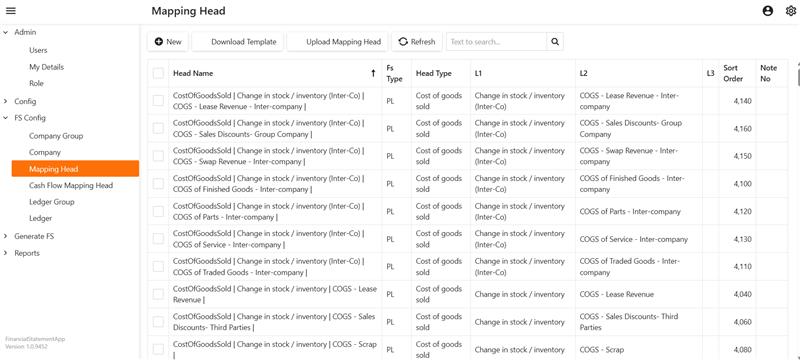
- Map ledgers to reporting heads, EasyReports FS APP provides standard mapping templates that covers reporting formats for most businesses. It provides multiple ready-to-use templates inside the application. These templates are available by default and can be downloaded, filled and uploaded back into the system.
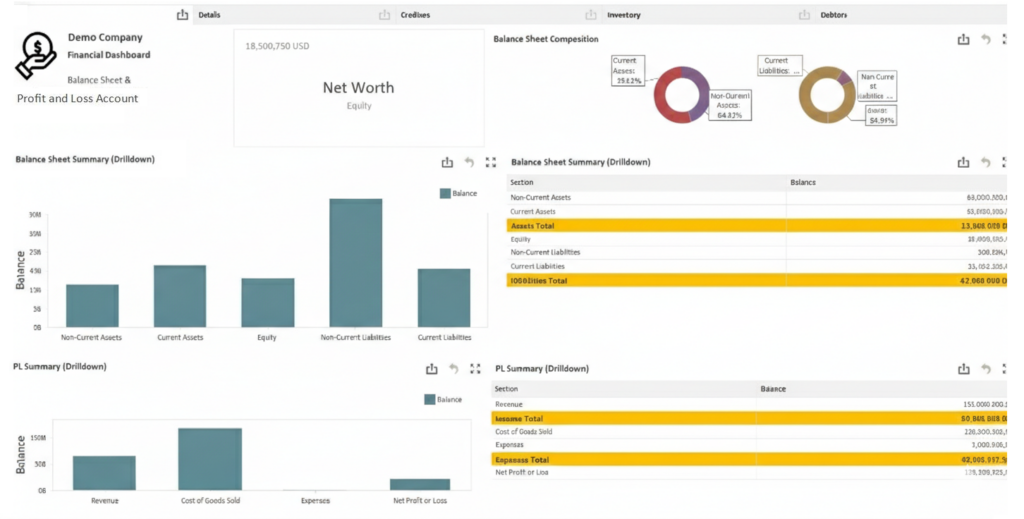
- Choose or build your report, select from a library of ready to use reports (Balance Sheet, P&L, Cash Flow, Debtor Ageing, Sales MIS).
- Access real-time BI dashboards with secure, role-based access so the right people see the right data.
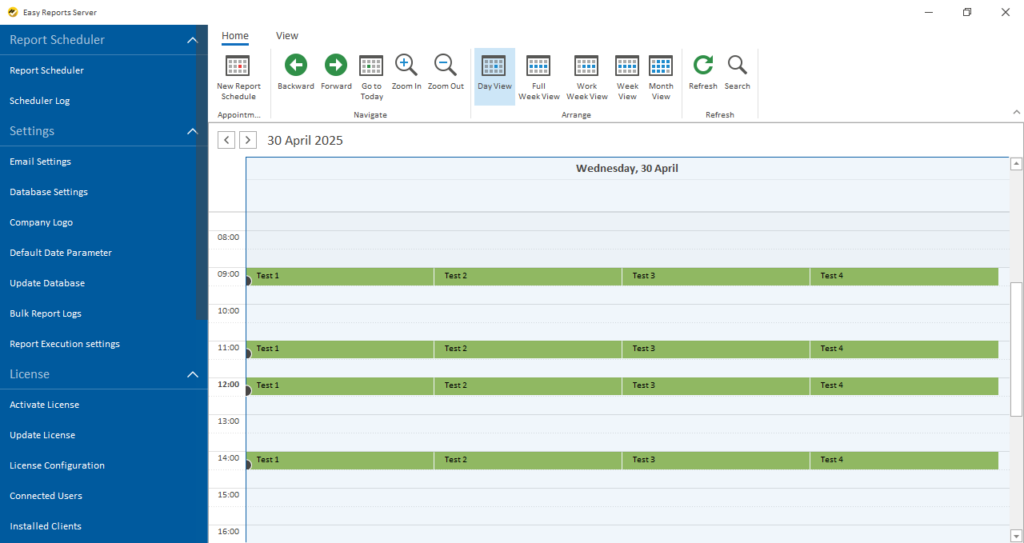
- Schedule and distribute, Use EasyReports Report Scheduler to automatically trigger reports daily, weekly or monthly and send them to stakeholders by email.
Where Does EasyReports Fit In? A Purpose-Built Reporting Automation Solution
EasyReports is a reporting automation tool built specifically for SMEs that use Tally, SAP B1, Microsoft NAV, Business Central, D365, or other ERPs. As a platform it provides zero-code report building features which can be used to build Dashboards, Pivots, Grids, Spreadsheet and Formatted Reports.
With over 15 years of experience and 5,000+ reports deployed across 12+ countries, EasyReports is the go-to platform for finance leaders who want to automate their reporting function.
Key EasyReports Features That Drive Reporting Automation
| Feature | What It Does for Finance Leaders |
| Automated Financials | Builds consolidated BS, P&L, and Cash Flow in your formatwith budget vs actuals, prior period comparisons and currencyconversion. |
| Ready Reports Library | 99+ ready to use reports for finance, sales, debtors, inventory, and more. |
| Customized Reports & Dashbaords | Create your own reports & dashboards using an easy-to-learn modelling interface without any coding. |
| Report Scheduler | Automatically triggers and distributes reports by email, Google Drive, or Dropbox on any frequency. |
| Multi-Company Consolidation | Consolidate data across companies with inter company adjustments. |
| Combine ERP + Non-ERP Data | Merge SAP or Tally or other ERP data with targets, budgets, payroll, CRM, or e-Commerce data for full reporting insights. |
| Security & Access Control | Role-based access ensures each user sees only their permitted reports and data. |
The Finance Function That Automates, Wins in 2026
Finance leaders are investing in reporting automation in 2026 because the cost of staying manual is now too high in wasted time, delayed decisions and avoidable errors.
The shift is not just about efficiency. It is about transforming finance from a reporting function into a strategic engine that delivers insights when the business needs them most.
EasyReports gives SMEs and mid-size organizations the power to do exactly that, with proven ERP integration’s, automated financials, smart dashboards and hands-free report distribution.
Ready to Automate Your Financial Reporting? Book your demo today!
FAQs
1. Why are finance leaders investing in reporting automation?
Finance leaders are investing in reporting automation to reduce manual work, improve reporting accuracy, and get faster financial insights.
2. What is financial reporting automation?
Financial reporting automation is the use of software tools to automatically generate financial reports, dashboards, and MIS reports from ERP or accounting systems.
3. How does reporting automation help finance teams?
Reporting automation saves time, reduces spreadsheet errors, and provides real-time financial dashboards for better decision-making.
4. Which ERP systems support reporting automation tools?
Reporting automation tools can integrate with ERPs like Tally, SAP Business One, Microsoft NAV, Business Central, and other SQL-based systems.
5. When should a company invest in financial reporting automation?
A company should invest in reporting automation when manual MIS preparation takes too much time or when multiple companies and data sources need consolidation.
6. What reports can be automated using reporting automation tools?
Tools can automate reports such as Balance Sheet, Profit & Loss, Cash Flow, Debtor Ageing, Sales MIS, Budget vs Actual reports & more.
7. How does EasyReports help automate financial reporting?
EasyReports connects to ERP systems, builds automated financial reports and dashboards, and schedules report distribution automatically.