

February 12, 2026
How to Automate Financial Statements from ERPs in 2026? Financial statement automation from ERPs means generating structured Balance Sheet and Profit & Loss reports directly from ERP data without manual Excel work. Using a financial reporting application like EasyReports FS APP, businesses can import data, map ledgers to reporting heads and automatically generate standardized financial statements in pivot, spreadsheet, or dashboard formats.
In 2026, businesses operate in multi-entity, multi-currency and compliance-driven environments. Finance teams must generate structured financial statements quickly and accurately.
Automating financial statements from ERPs requires a proper reporting framework, structured mapping and a dedicated financial reporting application. EasyReports provides a separate Financial Statement Application (FS APP) designed to automate financial reporting for ERP users.
What Is Financial Statement Automation from ERPs?
Financial statement automation refers to generating structured Balance Sheet and Profit & Loss reports directly from ERP system.
Instead of exporting data and formatting reports every month, businesses:
- Import Trial Balance data
- Map ledgers to reporting heads
- Generate formatted financial statements automatically
FS APP handles this entire process in a controlled and structured way.
Which ERPs Can Be Automated?
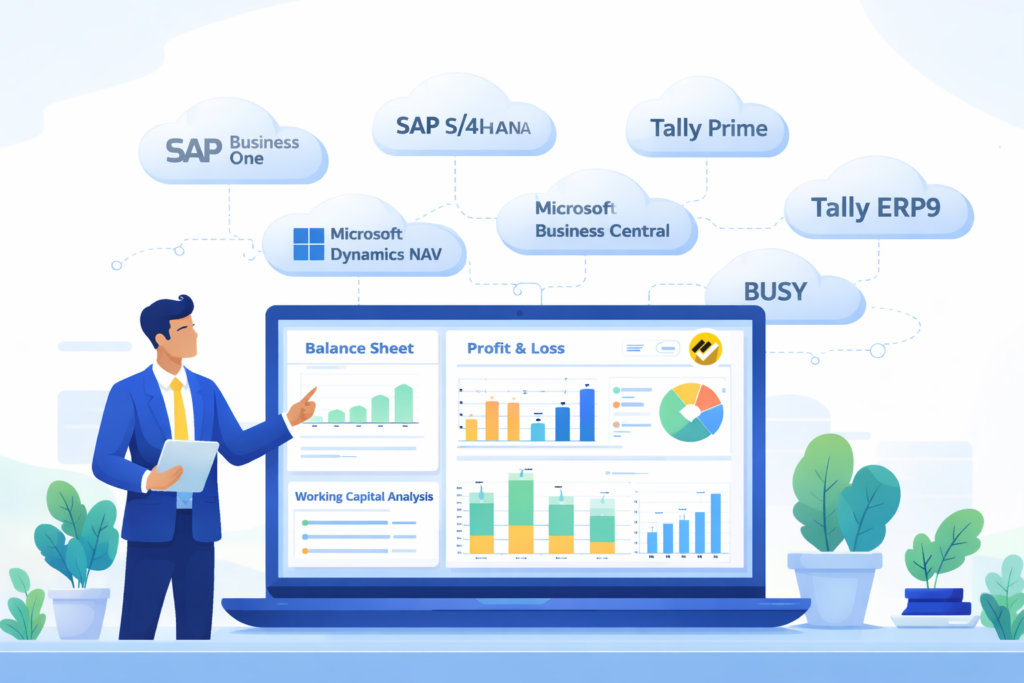
FS APP works with:
- SAP Business One
- SAP S/4HANA
- Microsoft Dynamics NAV
- Microsoft Business Central
- BUSY
- Tally Prime & Tally ERP9
It can also work with Trial Balance exports from other accounting systems.
This makes it suitable for both Tally and non-Tally ERP environments.
How Does EasyReports Financial Statement Application Automate Financial Statements?
Automation requires structured implementation. We follow a defined workflow to ensure accuracy.
Step 1: FS APP Installation & Configuration
Activities include:
- Application installation
- Database setup
- Trial Balance import configuration (for ERPs above mentioned & other accounting systems)
- Initial system validation
Step 2: Standard FS Configuring Templates
To automate financial statements from ERPs, a structured mapping framework is essential. FS APP provides Standard Mapping Templates that covers reporting formats for most businesses.
FS APP provides multiple ready-to-use templates inside the application. These templates are available by default and can be downloaded, filled and uploaded back into the system.
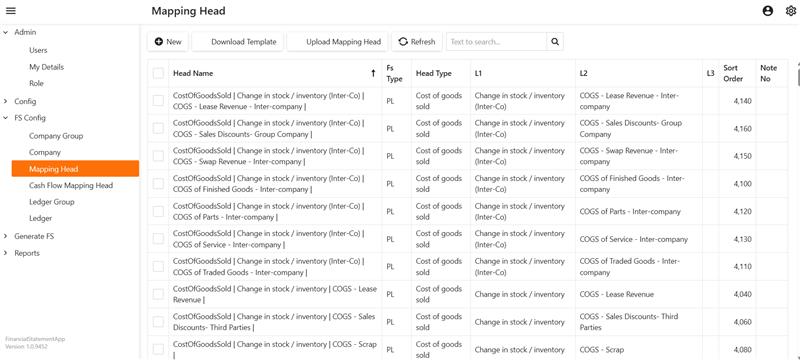
Mapping Head Templates
The template allows you to define your complete financial reporting hierarchy in a structured format as per your MIS or reporting format.
Example: Profit & Loss Structure
Type: Profit & Loss
L1: Expenses, L2: Operating Expenses, L3: Administrative Expenses
This means any ledger mapped under Administrative Expenses will automatically appear in the Operating Expenses section of the Profit & Loss statement.
Ledger-Level Mapping Templates
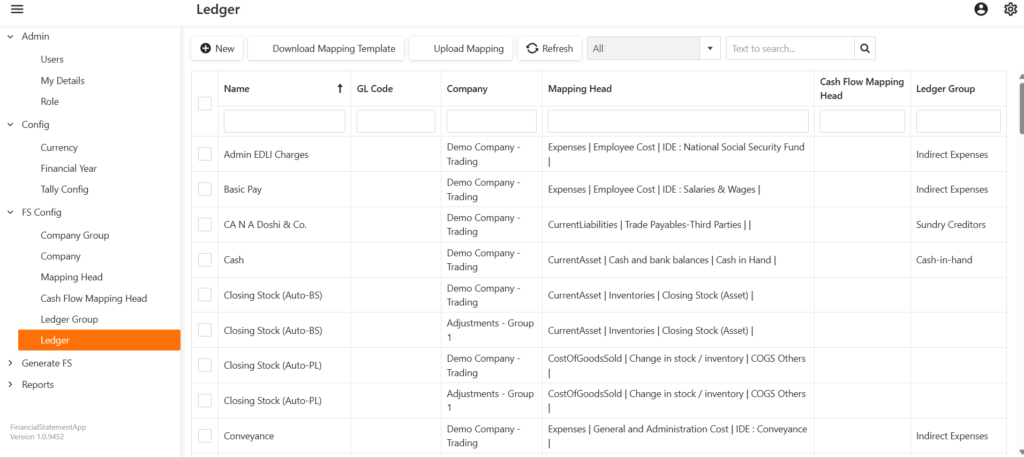
This template connects each ledger from your ERP Trial Balance to the predefined Mapping Head structure.
Step by step process given below:
- Download the ledger mapping template
- Upload the completed sheet back into FS APP
- Once configured, every ledger automatically flows into the correct financial statement head
For an example:
Ledger Name: Office Rent
Type: Profit & Loss
L1: Expenses, L2: Operating Expenses, L3: Administrative Expenses
Another example:
Ledger Name: Insurance Expenses
Type: Profit & Loss
L1: Expenses, L2: Operating Expenses, L3: Administrative Expenses
Once uploaded into FS APP, both “Office Rent” and “Insurance Expenses” will automatically appear under: Profit & Loss → Expenses → Operating Expenses → Administrative Expenses
Also other configuration templates such as
- Cash Flow Mapping Head: Works similar to Ledger Mapping Head
Step 3: Mapping Upload & Validation
Step by step process given below:
- Upload ledger mapping into FS APP
- Validate mapping accuracy
- Reconcile data
Test financial report output
Outcome: System becomes fully ready to generate reports in the required format.
Step 4: Generate Financial Reports in Multiple Formats
Once mapping configuration and validation are complete, users can start generating financial reports directly from FS APP.
The system allows you to generate reports in three powerful formats:
- Pivot Format: Analyze financial data dynamically with drill-down capability.
- Spreadsheet Format: Download structured Balance Sheet and Profit & Loss statements in presentation-ready spreadsheet format.
- Dashboard Format: View financial summaries in a visual dashboard format.
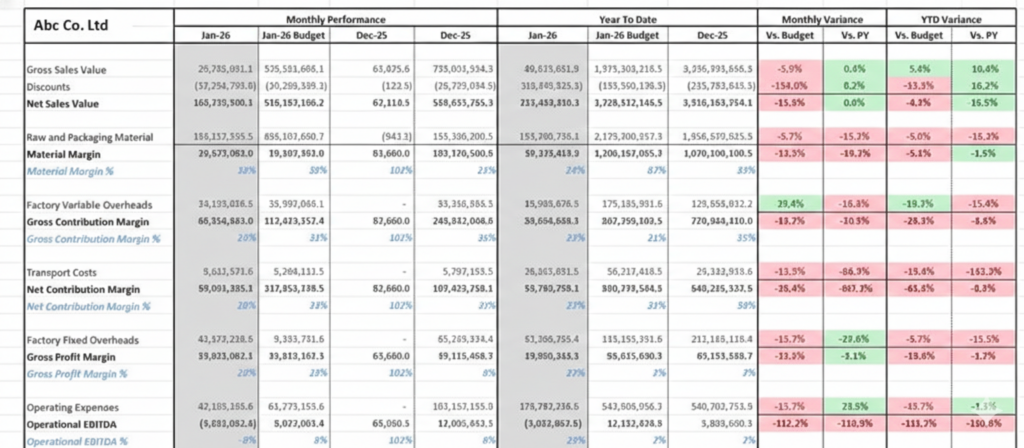
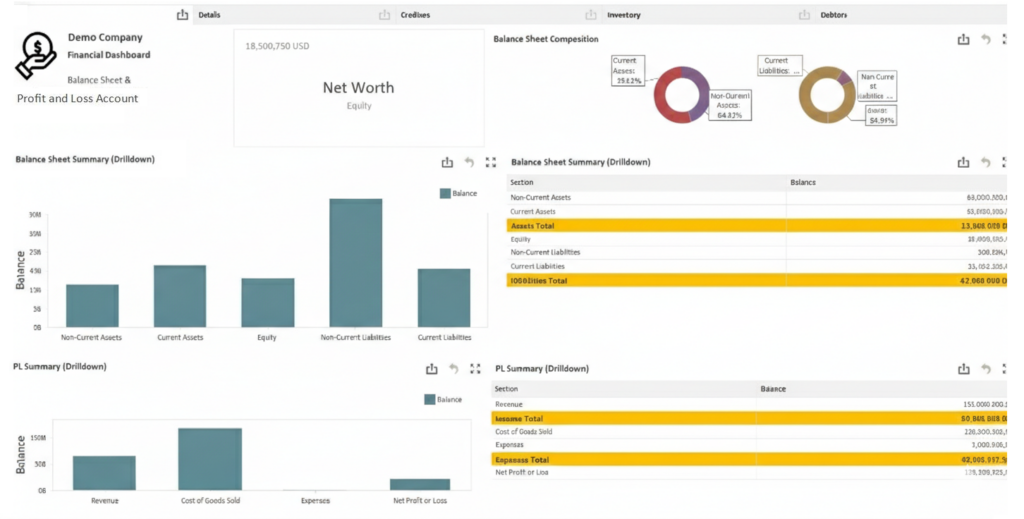
Final Output Includes:
- Reports aligned with client-defined format
- Period-wise reporting (monthly, quarterly, yearly)
- Structured Balance Sheet and Profit & Loss statements
- Validated and standardized financial data
- Consistent reporting across periods
Why Automate Financial Statements from ERPs are Important in 2026?
In 2026, businesses require:
- Multi-company consolidation
- Standardized MIS structures
- Faster month-end closing
ERP systems manage accounting transactions efficiently. FS APP enhances ERP data by converting it into structured financial intelligence.
EasyReports Financial Statement Application (FS APP) provides a controlled framework for the Tally, Non Tally, Accounting systems users to generate standardized financial statements. Once the reporting format, mapping structure and Trial Balance data are configured, therefore, businesses can generate financial reports consistently and efficiently.
Ready to Simplify Your Financial Reporting?
- Book a Free Live Demo to see the application in action
- Start a Free Trial and test it with your own Trial Balance data
FAQs: Automate Financial Statements from ERPs
1. What does it mean to automate financial statements from ERPs?
Automating financial statements from ERPs means generating structured Balance Sheet and Profit & Loss reports directly from ERP Trial Balance data without manual Excel preparation.
2. Which ERPs can be used to automate financial statements?
Businesses can automate financial statements from ERPs such as SAP Business One, SAP S/4HANA, Microsoft Dynamics NAV, Microsoft Business Central, Tally Prime, Tally ERP9, BUSY, and other accounting systems that provide Trial Balance exports.
3. How does Trial Balance mapping help in financial automation?
Trial Balance mapping connects ERP ledger accounts to predefined financial reporting heads. Once mapping is configured, the system subsequently places each ledger under the appropriate Balance Sheet or Profit & Loss category.
4. What are the benefits of automating financial statements from ERPs?
Key benefits include faster month-end closing, standardized MIS reporting, reduced manual errors, multi-company consolidation, improved compliance and many more.
5. Why is financial statement automation important in 2026?
In 2026, businesses operate in multi-entity and compliance-driven environments. Automating financial statements from ERPs ensures faster reporting, structured consolidation and reliable financial intelligence.