


March 19, 2026
What are the Biggest SAP Business One Reporting Challenges? SAP Business One (SAP B1) is a powerful ERP system trusted by thousands of businesses worldwide. As organizations grow and reporting needs become more advanced, many teams look for additional ways to simplify reporting and gain faster access to insights from their SAP B1 data.
In many companies, finance teams often export data to Excel to prepare management reports, MIS summaries or consolidated views. Management teams sometimes require customized reports or dashboards that take time to prepare. IT teams also support users by creating specialized reports when new reporting requirements arise. During month-end closings, teams may consolidate information from multiple companies or sources to generate a complete business view.
In this article, we explore 10 common reporting challenges experienced by SAP Business One users and show how a reporting tool like EasyReports integrates with SAP B1 to simplify reporting, automate insights and help teams generate reports faster and more efficiently.
The 10 SAP Business One Reporting Challenges (and How EasyReports Fixes Them)
I) Manual Effort in Preparing Financial Reports
Many SAP Business One users rely on exporting financial data to Excel to prepare reports. Finance teams often spend significant time downloading data, structuring it into the required format before sharing reports with management. This manual process can slow down financial analysis and increase the effort required during month-end or periodic reporting.
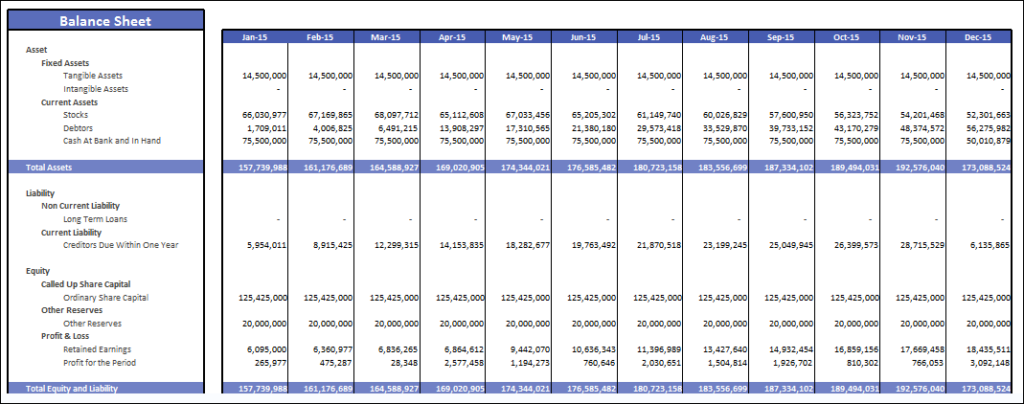
EasyReports Solution: Using the EasyReports Financial Statement App, users can easily map ERP ledgers to structured reporting templates and generate financial reports instantly.
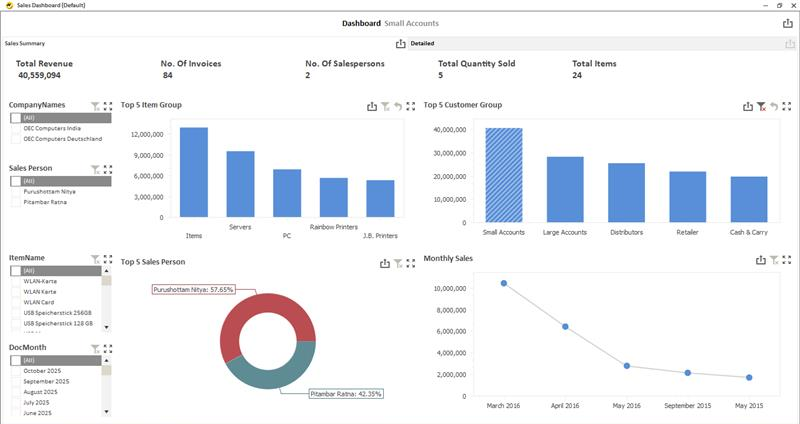
Reports can be viewed in pivot format for drill-down analysis, spreadsheet format for presentation-ready financial statements, or dashboard format for visual insights, enabling finance teams to access accurate financial information faster.
II) Increased Dependence on IT for Custom Reports
Here is a striking fact: An industry study found that 76% of SAP-based finance teams feel over-reliant on IT just to get the reports they need.
This can sometimes create delays in decision-making. By the time IT delivers the report, the business decision that needed it has already been made.
EasyReports Solution: Business users build their own drag-and-drop reports directly from SAP B1/HANA data. No SQL knowledge, no IT ticket, no waiting.
III) Improving Multi-Company Reporting Processes
Does your team export each company’s data separately and then stitch everything together in Excel every month? If yes, you are not alone.
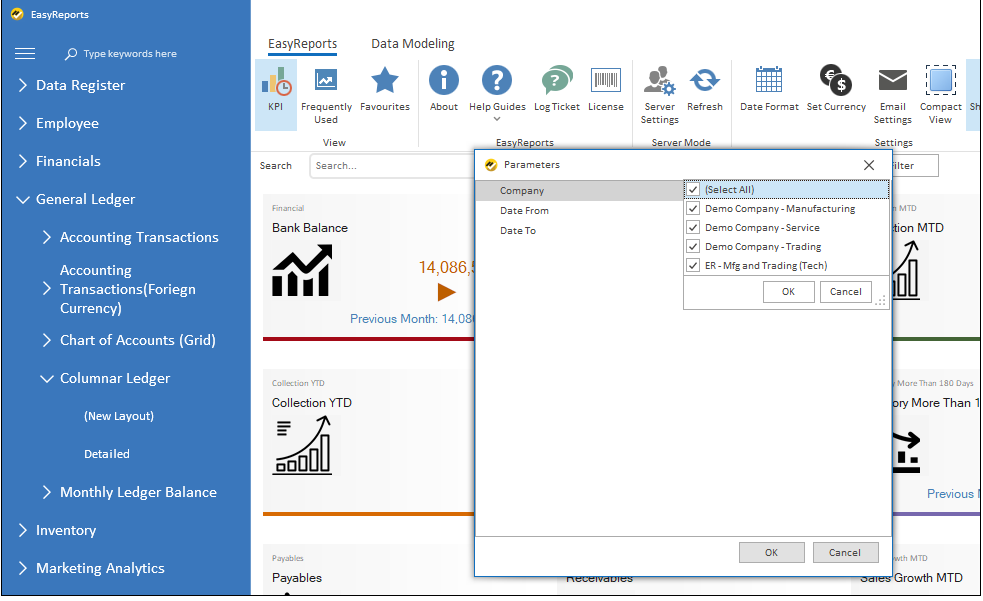
EasyReports Solution: Multi-company consolidation is built into EasyReports by default. You write the report logic once and run it across all your companies instantly.
IV) Adapting Reports to Changing Business Needs
As businesses grow, reporting requirements also evolve. Teams often need customize reports to analyze data effectively. In such cases, organizations may look for more flexible tools to quickly adapt report formats and access insights efficiently.
EasyReports Solution: EasyReports gives you fully flexible report formats. Modify layouts, add parameters and restructure any report.
V) Report Scheduling is essential for businesses
Many organizations prefer to automate the distribution of reports to save time and ensure consistent communication. Teams may look for solutions that support flexible scheduling.
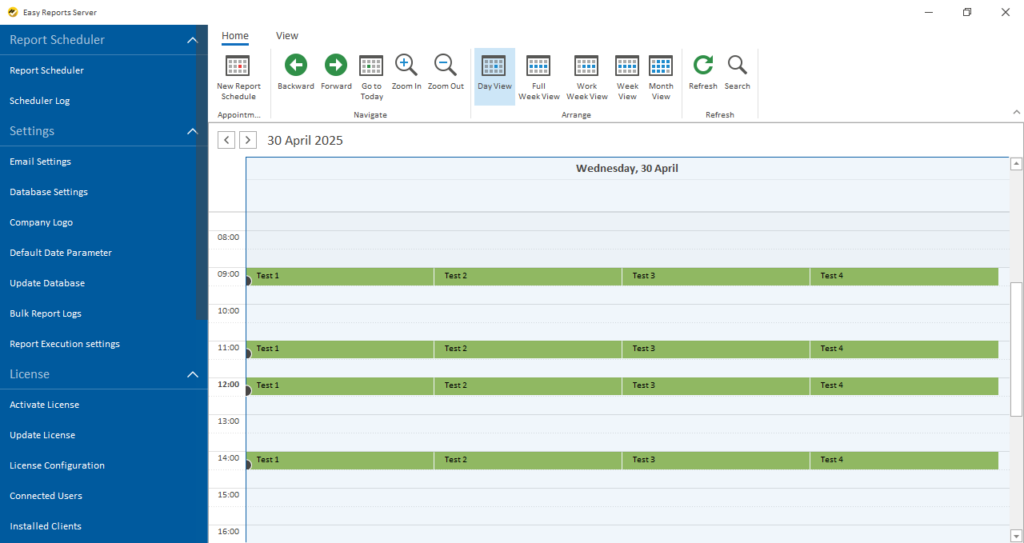
EasyReports Solution: EasyReports supports full report scheduling for every report type and dashboard. Set up daily, weekly, or monthly schedules and automatically deliver reports to individuals or entire teams.
Where Can You Use EasyReports with SAP Business One?
EasyReports supports businesses of all sizes across industries using SAP Business One. Companies in manufacturing, distribution, financial services, retail and professional services actively use EasyReports across India, Africa, the Middle East, and beyond.
It supports both on-premise and cloud deployments and because data never leaves your server, it fully complies with your organization’s data security policies.
Why Do SAP B1 Partners Recommend EasyReports?
SAP B1 partners recommend EasyReports because it adds immediate value to their clients. Partners benefit from product training, sales support and lead generation materials. EasyReports becomes a high-value add-on that partners can introduce to every SAP B1 client they serve.
Ready to simplify your SAP B1 reporting?
Book a free demo or start your trial with EasyReports today.
FAQs
1. What is the common SAP Business One reporting challenges?
Common SAP B1 reporting problems include manual Excel-based reporting, dependency on IT for custom reports, difficulty in multi-company consolidation, limited report flexibility, and lack of automated report scheduling.
2. How can SAP Business One reporting be automated?
SAP Business One reporting can be automated using tools like EasyReports, which generate real-time reports, dashboards, and MIS without manual effort or Excel dependency.
3. Why do SAP B1 users rely on Excel for reporting?
Many SAP B1 users rely on Excel to customize report formats, consolidate multi-company data, and create management-level MIS reports not available in standard SAP reports.
4. How does EasyReports improve SAP B1 reporting?
EasyReports improves SAP B1 reporting by enabling real-time dashboards, automated financial statements, drag-and-drop report creation and scheduled report sharing.
5. Can SAP Business One handle multi-company reporting?
SAP B1 has certain constraints when handling multi-company reporting natively. Tools like EasyReports help consolidate data across multiple companies in a single view instantly.