

March 7, 2026
What Is Financial MIS Reporting and How Can Businesses Automate It in 2026? Finance teams across industries spend hours every month downloading data from their ERPs, formatting spreadsheets and manually building reports. In many organizations, manual reporting slows down the month-end process. Financial MIS Reporting solves this problem by transforming raw ERP, CRM and database data into structured reports automatically. As a result, businesses improve reporting efficiency and gain quicker financial visibility.
What Is Financial MIS Reporting?
The term Financial MIS Reporting stands for Management Information System Financial Reporting.
In simple terms, it is the structured process of generating financial reports such as Profit & Loss statements, Balance Sheets, Cash Flow reports and Budget vs. Actual analyses from an organization’s ERP or accounting system.
Why Is Financial MIS Reporting Important for Businesses in 2026?
Modern businesses depend on Financial MIS Reporting to meet several critical operational needs:
- Faster month-end closing: Automate report generation instead of spending days on Excel
- Standardized reporting formats: Maintain consistent P&L and Balance Sheet layouts across departments and entities
- Multi-company consolidation: Combine financial data from multiple entities in one report
- Real-time financial visibility: Access updated financial reports and dashboards at any time
What Are the Key Components of Financial MIS Reporting?
A well-designed Financial MIS Reporting framework covers all major areas of business finance. The following components are essential for most organizations:
1. Financial Statements
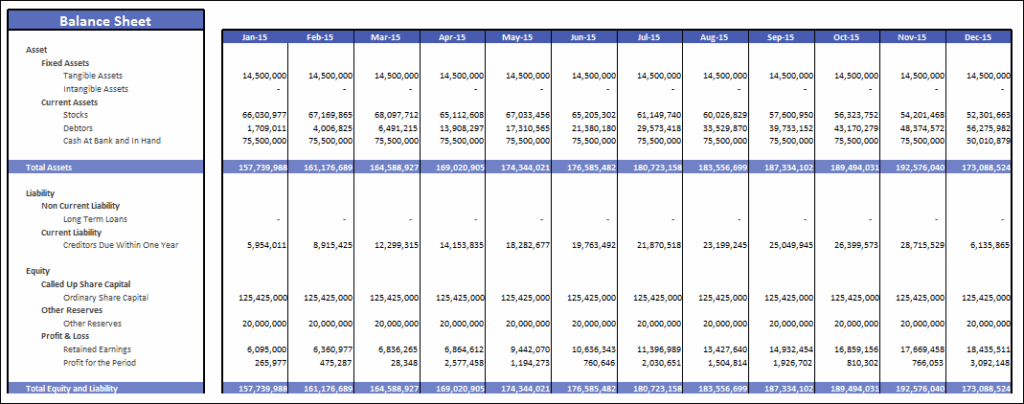
Key financial statements include the Balance Sheet, Profit & Loss Statement, and Cash Flow Statement.
2. Budget vs. Actual Analysis
Budget analysis compares planned financial targets with actual business performance.
3. Cash Flow and Fund Flow Management
Cash flow reports track the movement of money entering and leaving the organization.
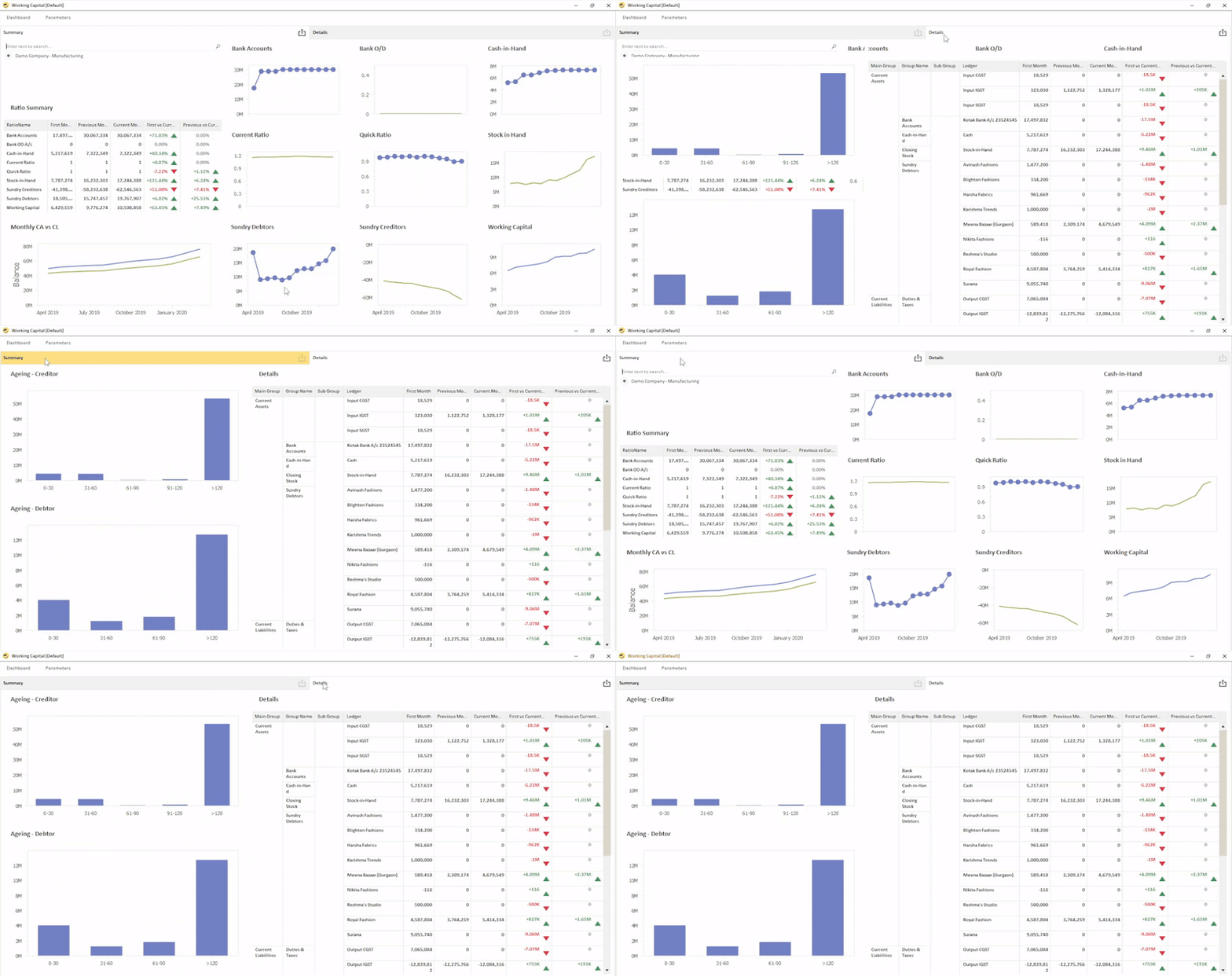
4. Working Capital Reporting
These reports help businesses monitor receivables, payables, and inventory movements efficiently.
5. Cost Centre and Profitability Reporting
Cost centre reports allocate revenues and expenses to departments, locations, or business segments.
How Can Businesses Automate Financial MIS Reporting in 2026?
Automating Financial MIS Reporting requires a structured implementation using a dedicated financial reporting application such as EasyReports.
Step 1: Connect Your ERP to a Reporting Tool
Start by choosing a reporting application that integrates directly with your ERP system. Tools such as EasyReports connect to Tally Prime, Tally ERP9, SAP B1, SAP S/4 HANA, Business Central, NAV and databases like MySQL, PostgreSQL, and Microsoft SQL Server. Direct integration allows businesses to access data without manual exports.
Step 2: Configure Your Financial Reporting Structure
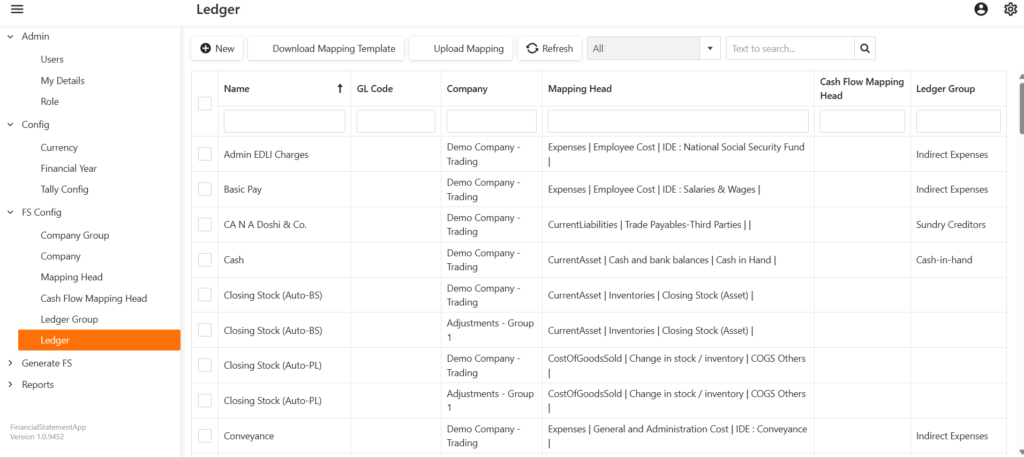
EasyReports offers standard mapping templates designed for common reporting structures. The application includes several ready-to-use templates that simplify the reporting setup process. Users can download these templates, fill in the required information, and upload them back into the system. This template-based approach helps finance teams configure reporting structures quickly without building templates from scratch.
Step 3: Mapping Upload & Validation
Upload the ledger mapping templates and complete the validation process by following these steps:
- Validate mapping accuracy
- Reconcile data
- Test financial report output
Step 4: Generate Reports in Multiple Formats
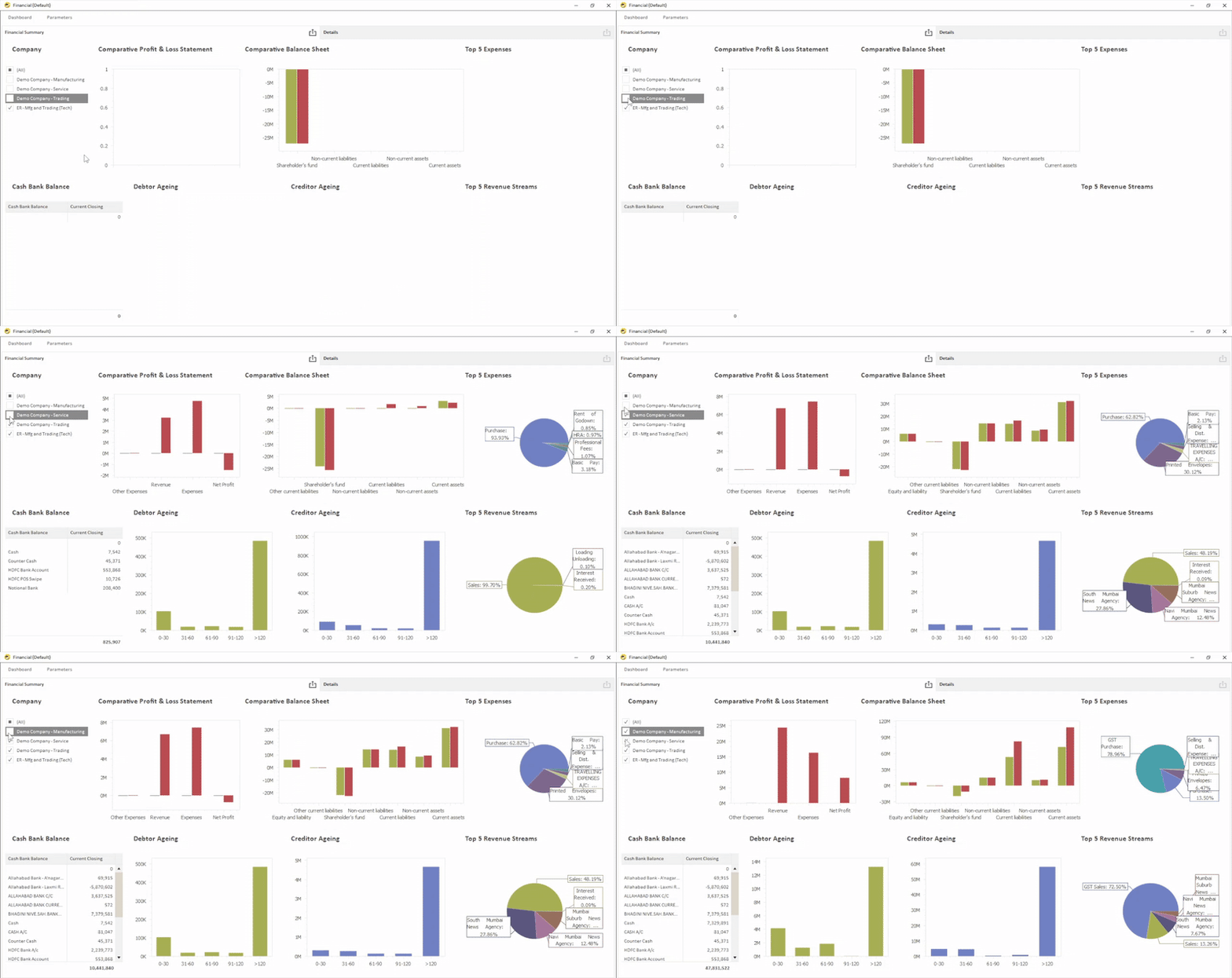
After completing the mapping process, organizations can generate reports in multiple formats such as Pivot reports, spreadsheets, and interactive dashboards.
Step 5: Schedule and Distribute Reports Automatically
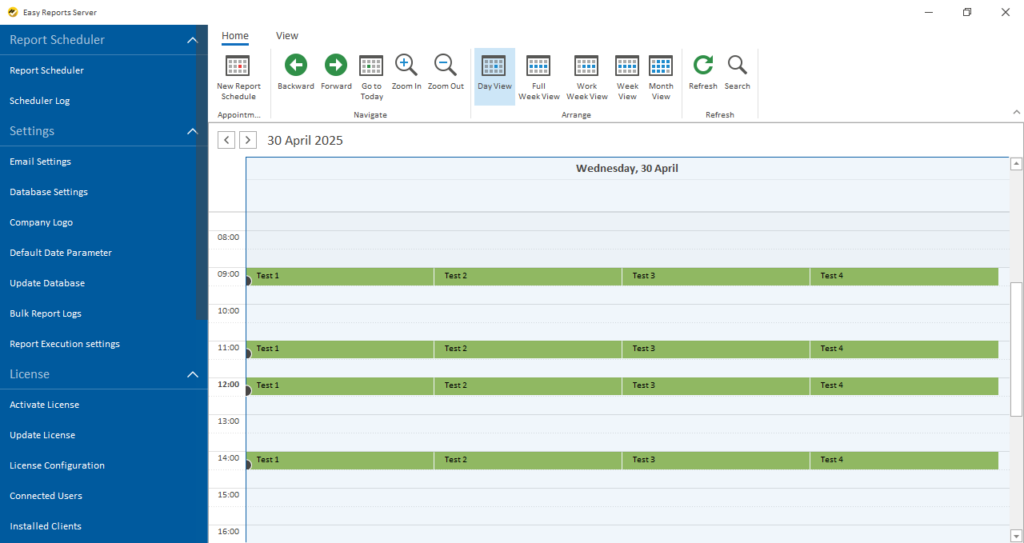
Automated scheduling ensures that finance teams receive the right reports at the right time daily, weekly or monthly.
How Does EasyReports Enable Financial MIS Reporting Automation?
EasyReports is a Reporting and Business Intelligence automation tool designed to simplify Financial MIS Reporting. The platform includes a dedicated Financial Statement Application along with a complete suite of MIS reporting tools. Businesses can connect directly with ERP systems, CRMs, accounting software and other databases.
The EasyReports platform enables organizations to:
- Map ERP ledgers to reporting heads
- Generate formatted financial statements in PDF, Excel, or dashboard format
- Maintain and upload budget data monthly, quarterly, or yearly with variance analysis at ledger or cost centre level
- Track cash flow using Direct and Indirect Cash Flow Statements while monitoring vendor payments and customer receipts
- Consolidate financial reports across multiple companies or entities
- Schedule and distribute reports automatically to stakeholders
When Should Your Business Start Automating Financial MIS Reporting?
Organizations should consider automating Financial MIS Reporting when the following challenges appear:
- The finance team spends excessive time preparing monthly reports
- Many businesses rely on Excel spreadsheets to consolidate ERP data
- Report formats change frequently due to lack of standardization
- Leadership often waits several days to receive financial insights
If any of these situations apply to your organization, the right time to automate Financial MIS Reporting is now.
Ready to Automate Your Financial MIS Reporting?
- Visit www.easyreports.in to explore the complete range of reporting and BI features.
- Book a Free Live Demo to see how EasyReports automates financial reporting.
- Start a Free Trial and test the platform with your own ERP data.
Frequently Asked Questions (FAQs)
1. What is Financial MIS Reporting?
Financial MIS Reporting refers to the process of generating structured financial reports from ERP or accounting systems. Management teams use these reports to monitor business performance and make informed financial decisions.
2. What reports are included in Financial MIS Reporting?
Financial MIS Reporting includes key reports such as the Profit & Loss Statement, Balance Sheet, Cash Flow Statement, Budget vs. Actual Analysis, Working Capital Reports, and Cost Centre Profitability Reports. These reports provide a complete financial overview of the organization.
3. Why is Financial MIS Reporting important for businesses?
Financial MIS Reporting helps businesses gain real-time financial visibility and standardized reporting formats. Finance leaders can analyze financial performance and make strategic decisions faster.
4. Can Financial MIS Reporting be automated?
Financial MIS Reporting can be automated using dedicated reporting tools like EasyReports. These tools connect directly with ERP systems and generate financial reports and dashboards automatically.
5. Which ERP systems can integrate with Financial MIS Reporting tools?
Modern financial reporting tools can integrate with ERP systems such as Tally Prime, Tally ERP9, SAP Business One, SAP S/4 HANA, Microsoft Dynamics Business Central, and NAV. They can also connect with databases like MySQL and Microsoft SQL Server.
6. What are the benefits of automating Financial MIS Reporting?
Automating Financial MIS Reporting reduces manual reporting work and improves data accuracy. It also enables faster month-end closing and provides real-time financial insights for better business planning.
7. How does EasyReports automate Financial MIS Reporting?
EasyReports automates Financial MIS Reporting by connecting directly with ERP systems and mapping ledgers to reporting structures. Businesses can generate financial statements automatically and schedule reports for stakeholders.